What redaction is for
A black bar over text that is still in the document underneath protects nothing. This page removes the text itself. Showing the hits is free, creating the redacted copy is Premium. The original always stays unchanged, a new file with the suffix “_geschwärzt” is created.
Supported are PDF as well as DOCX, XLSX and PPTX (and the macro variants).
The procedure
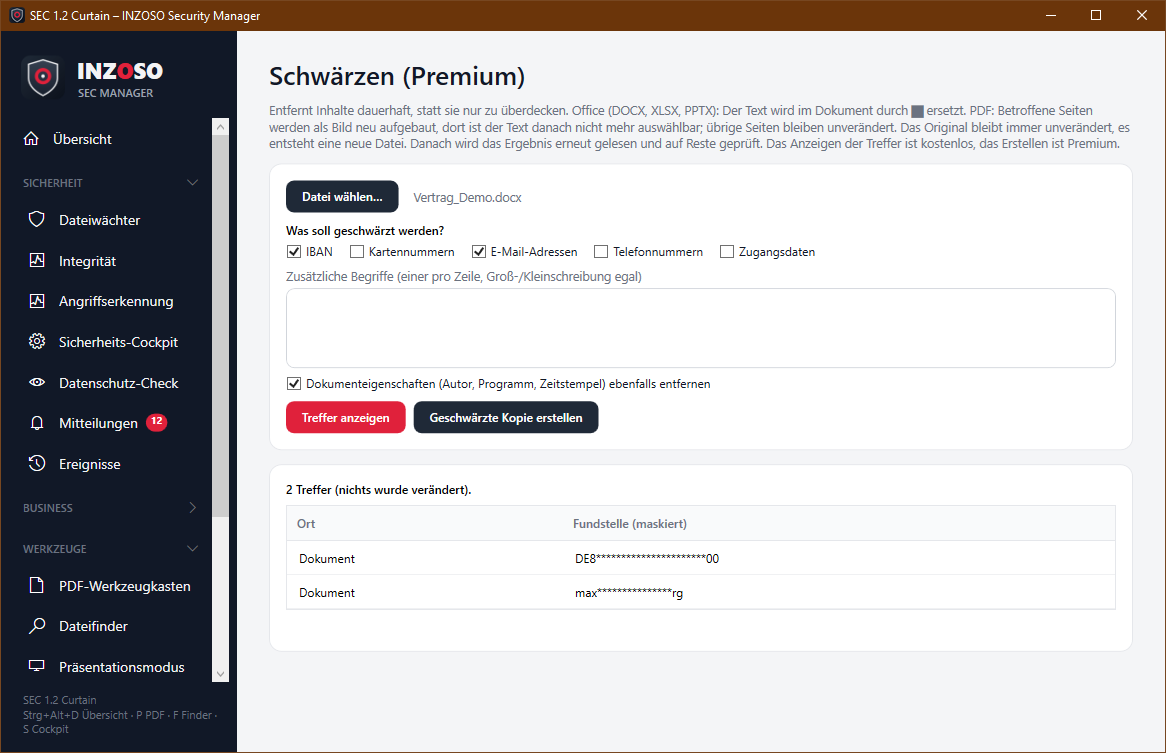
- Choose a file.
- Select what to redact: IBAN, card numbers, email addresses, phone numbers, credentials and/or your own terms (one per line, case-insensitive). IBAN and card numbers are validated with a checksum so that random numbers are not hit.
- Show hits: shows location (page, slide, part) and a masked match. Nothing is changed.
- Create redacted copy (Premium). Optionally the document properties (author, program, timestamps) are removed at the same time.
- The program reads the result again and reports whether anything is left.
How it is redacted
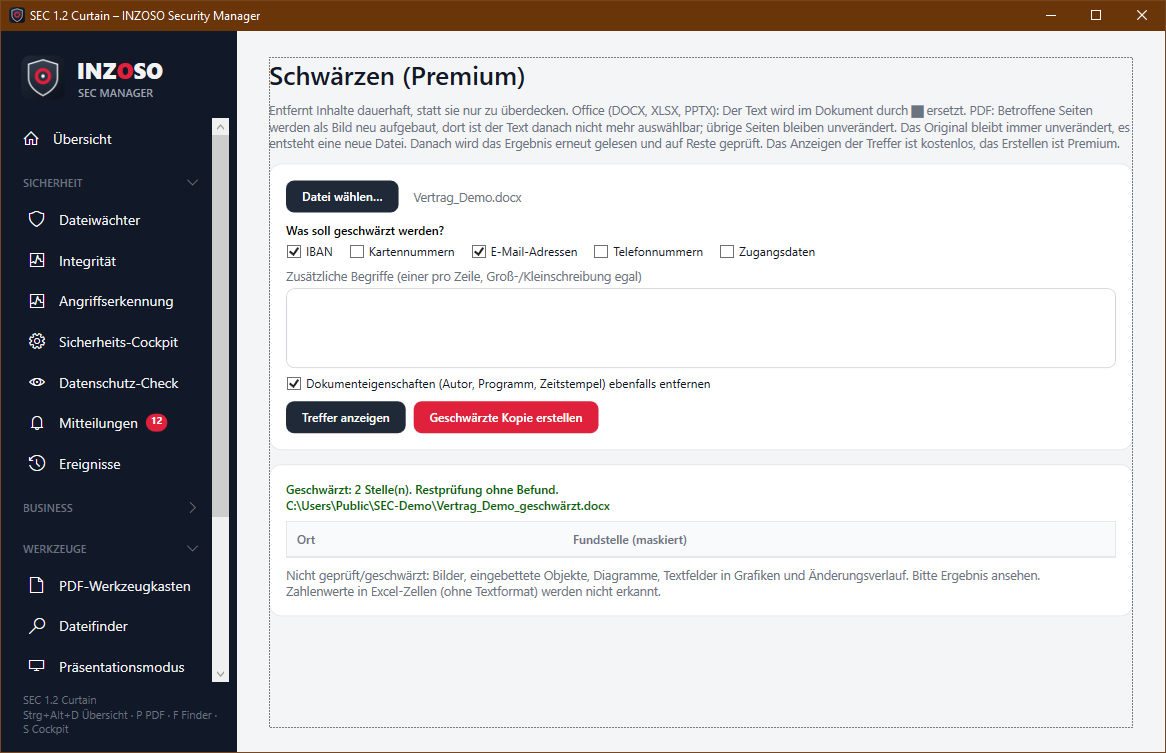
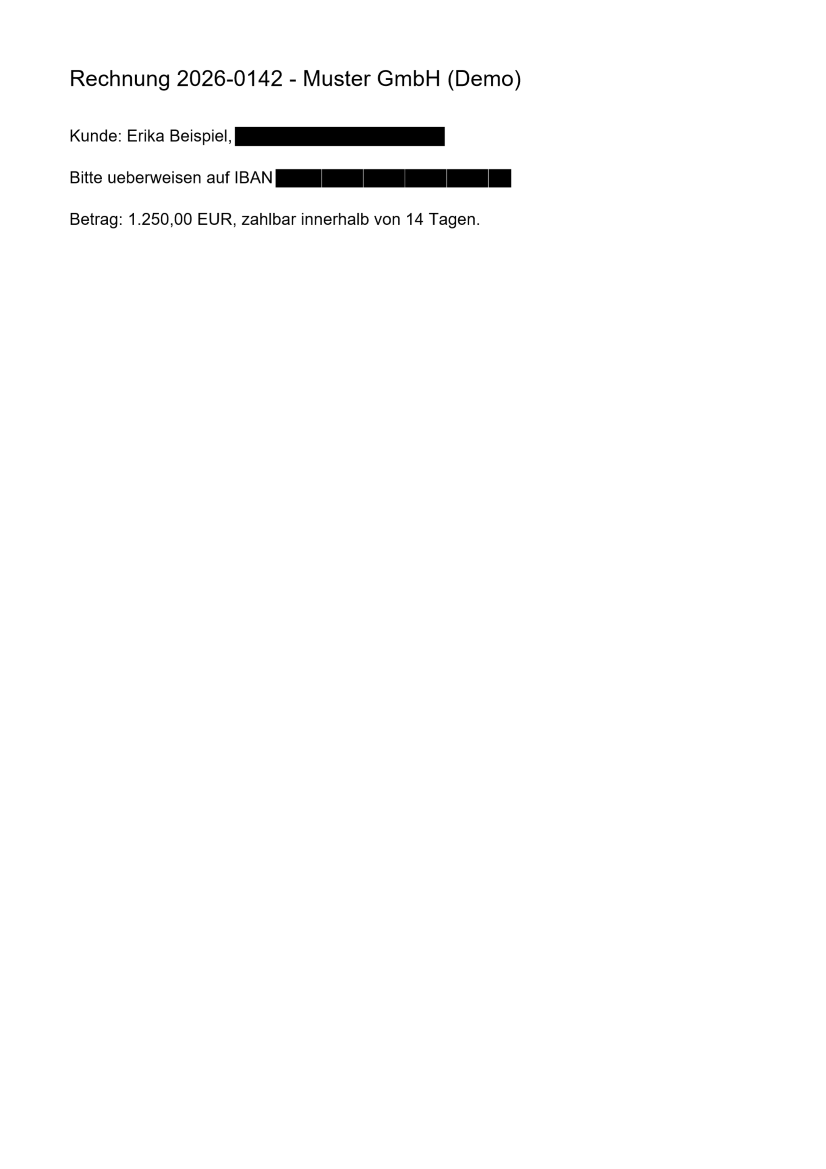
- Office: The characters in the document text (body, headers/footers, footnotes, comments, slides, notes, table text) are replaced by █, even if a value is spread over several text runs.
- PDF: Pages with hits are rebuilt as an image, the hits are black in it. The text of these pages is afterwards no longer selectable or searchable. Pages without hits stay unchanged.
Residue check
- PDF: Affected pages must no longer have a text layer; the whole text is checked again for the chosen terms.
- Office: The text is checked again. In addition all XML parts (for example links, properties) are searched for the replaced values. If a value is still found there, the message says so and the file should not be passed on.
Scanned PDFs and text recognition
Scanned PDFs have no text layer. With text recognition switched on (default; uses the recognition built into Windows, local only) such pages are read, redacted and the result is checked again by text recognition. The privacy check and the file finder can read scanned PDFs this way, too.
- Requirement: in the Windows settings under Time and language › Language, “Text recognition” (OCR) is installed for German.
- The recognition can confuse characters (for example 0 and O). For IBAN and card numbers the program compensates for that, a remainder of errors remains possible.
- Image files and images inside documents are not read.
Limits you should know
- Images, embedded objects, charts and the revision history in Office files are not processed. Numeric values in Excel cells without text format are not recognised.
- PDF: Redaction works word by word, the bar covers whole words. Rotated pages and pages with a crop box are rejected. Bookmarks, form fields and attachments of the redacted pages are dropped. Password-protected PDFs cannot be processed.
- Recognition is pattern-based. Check the copy yourself before passing it on, especially for confidential content.