Merging PDFs
Merge, split, rotate and compress PDFs, locally and without upload. Originals stay unchanged: results are always saved as a new file; if the name exists, “ (1)”, “ (2)” … is appended. Keyboard shortcut to open: Ctrl + Alt + P.
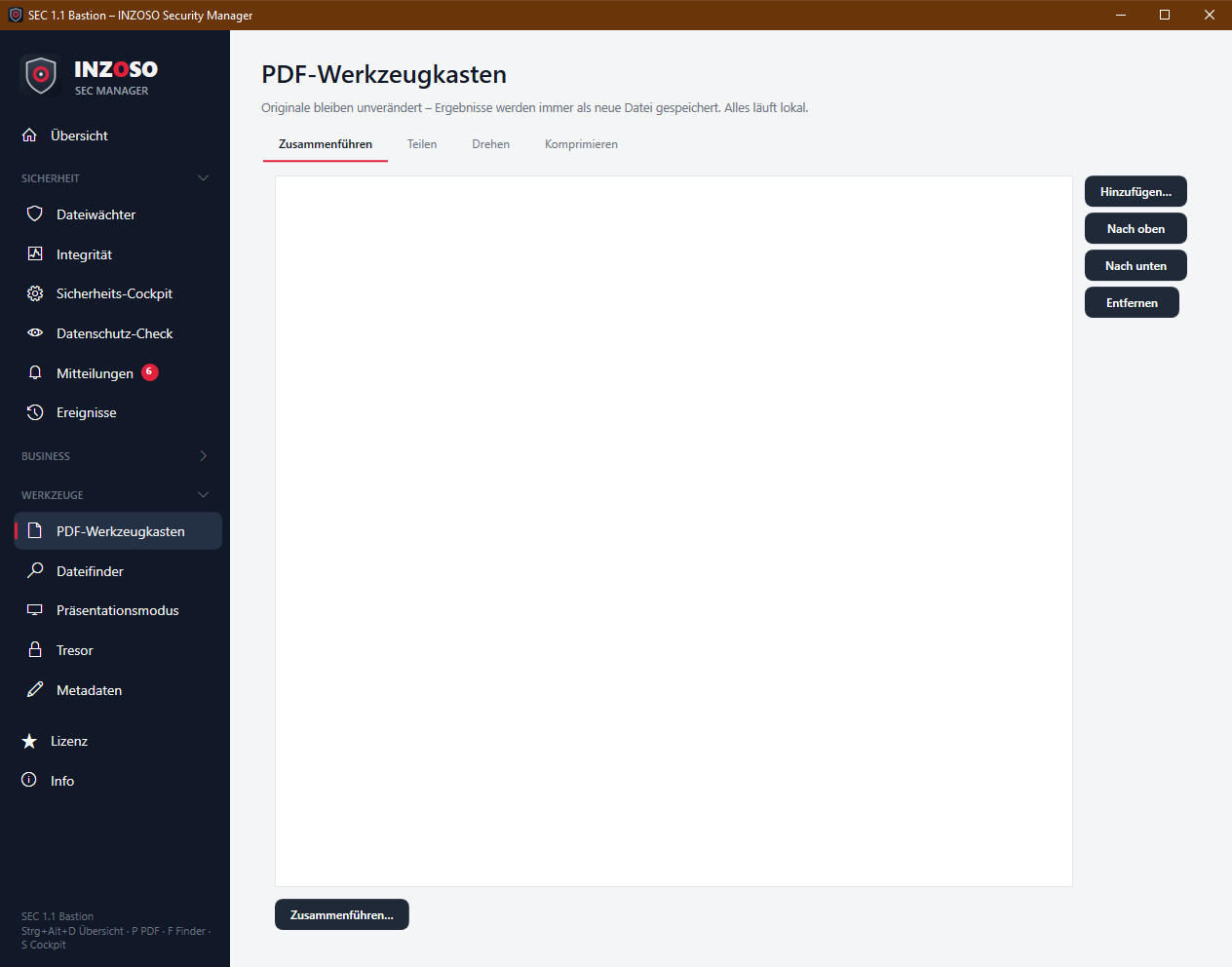
- “Hinzufügen…” and choose several PDFs.
- Set the order with “Nach oben” and “Nach unten”, “Entfernen” takes a file out of the list.
- “Zusammenführen…”, choose location and name. At least two files are needed.
- Afterwards a message shows the page count and Explorer shows the new file.
Splitting PDFs
- “Wählen…” and pick a PDF (the page count is shown).
- Enter ranges separated by commas, e.g. 1-3, 5, 7-. Each entry becomes its own file. Leaving it empty means every page individually.
- “Teilen.” Beforehand a prompt names the number of new files and the folder <name>_geteilt next to the original.
- Range notation: 5 = page 5, 2-4 = pages 2 to 4, 7- = from page 7, -3 = up to page 3. Invalid entries are rejected with an explanation.
Rotating PDFs
- “Wählen…”, choose the rotation: 90° right, 180° or 90° left.
- Optionally enter “Seiten” (e.g. 2-4,6), empty means all pages.
- “Drehen.” The new file is called <name>_gedreht.pdf and sits next to the original.
Compressing PDFs (Premium)
“Wählen…” and “Komprimieren.” The result <name>_komprimiert.pdf shows the size before and after and the saving in percent. It is a lossless optimisation. Images are not reduced, so for image-heavy PDFs the saving is small. Password-protected or damaged PDFs may not be processable; the program then reports an error and changes nothing.
File finder: how to search
The file finder finds files in folders you choose quickly by name, extension, size and date and shows a preview. It works locally and only reads file details; there is no content search. Keyboard shortcut to open: Ctrl + Alt + F.
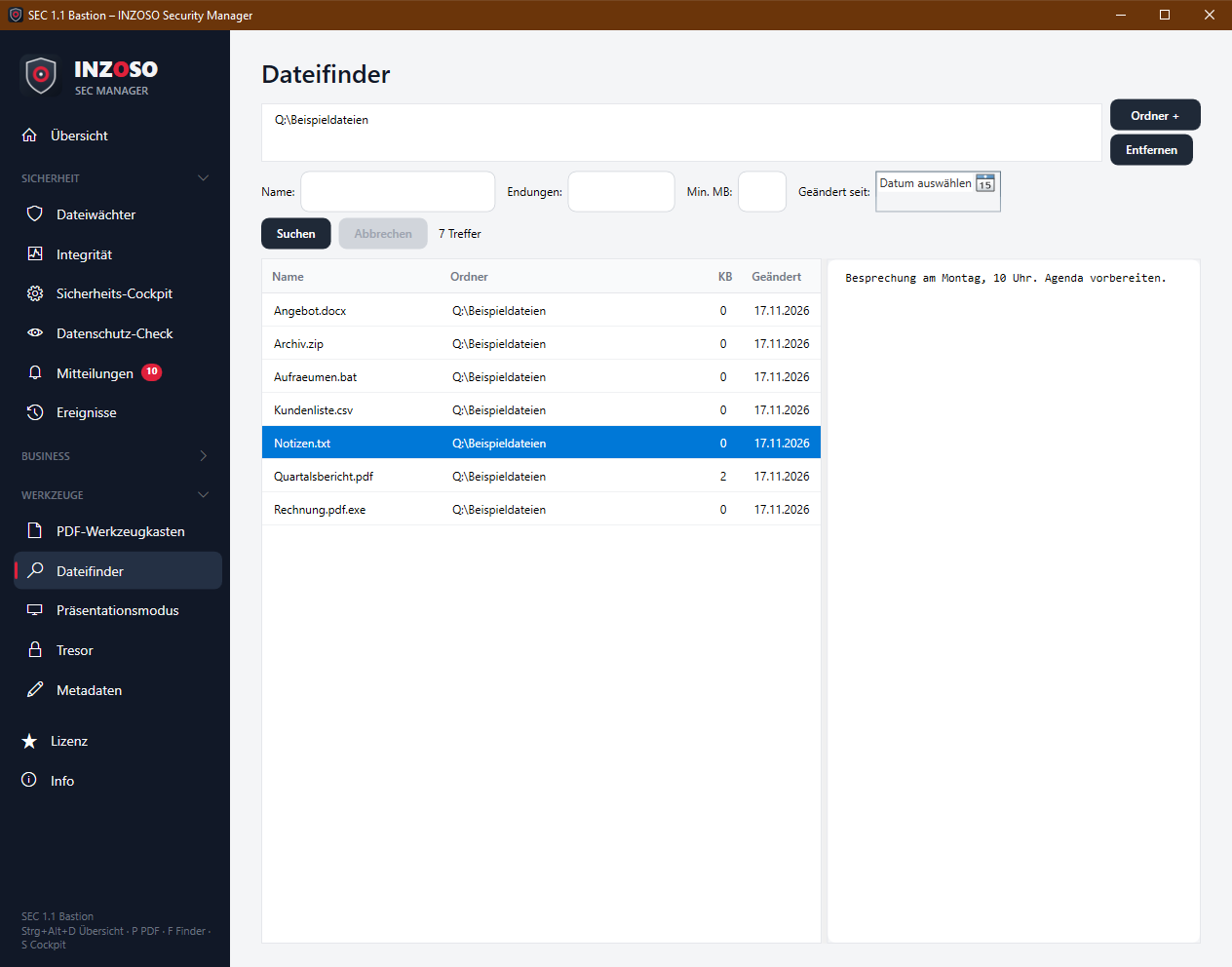
- Folders: “Ordner +” adds a search folder, “Entfernen” removes one. Your Documents folder is preset; several folders can be searched at once.
- Name: parts of the file name, several terms (with spaces) must all be contained, case does not matter
- Extensions: e.g. pdf, docx (comma, semicolon or space)
- Min. MB: minimum size in megabytes
- Geändert seit: date from which files were changed
- “Suchen” (or Enter in the name field). “Abbrechen” stops a running search.
File finder: result and notes
- The table shows name, folder, KB and modified. Above it is the hit count. If folders could not be read, “n Ordner nicht lesbar” appears; with very many hits “Liste gekürzt – Suche eingrenzen” (maximum 5000).
- A double-click shows the file in Explorer.
- The preview on the right shows images (png, jpg, bmp, gif) and text files (the first 4000 characters). For other types it says “Keine Vorschau für diesen Dateityp.”
- Shortcuts (reparse points) and system files are skipped.
- A search in file contents or in scanned documents (OCR) does not exist yet.