INZOSO DIGITAL SIGNAGE

Run your screens simply.
With the DS Manager you control displays at reception, in the shop or in the workshop from your Windows PC: images, videos, PDFs, text and dashboards, on Amazon Fire TV, Android TV, in a browser or on a Windows PC.
FEATURES
Everything you need for your display
Media and PDFs
Upload images (JPG, PNG, GIF, WebP), videos (MP4, WebM) and PDFs. PDFs are converted into page images and every page joins the rotation.
Playlist and schedules
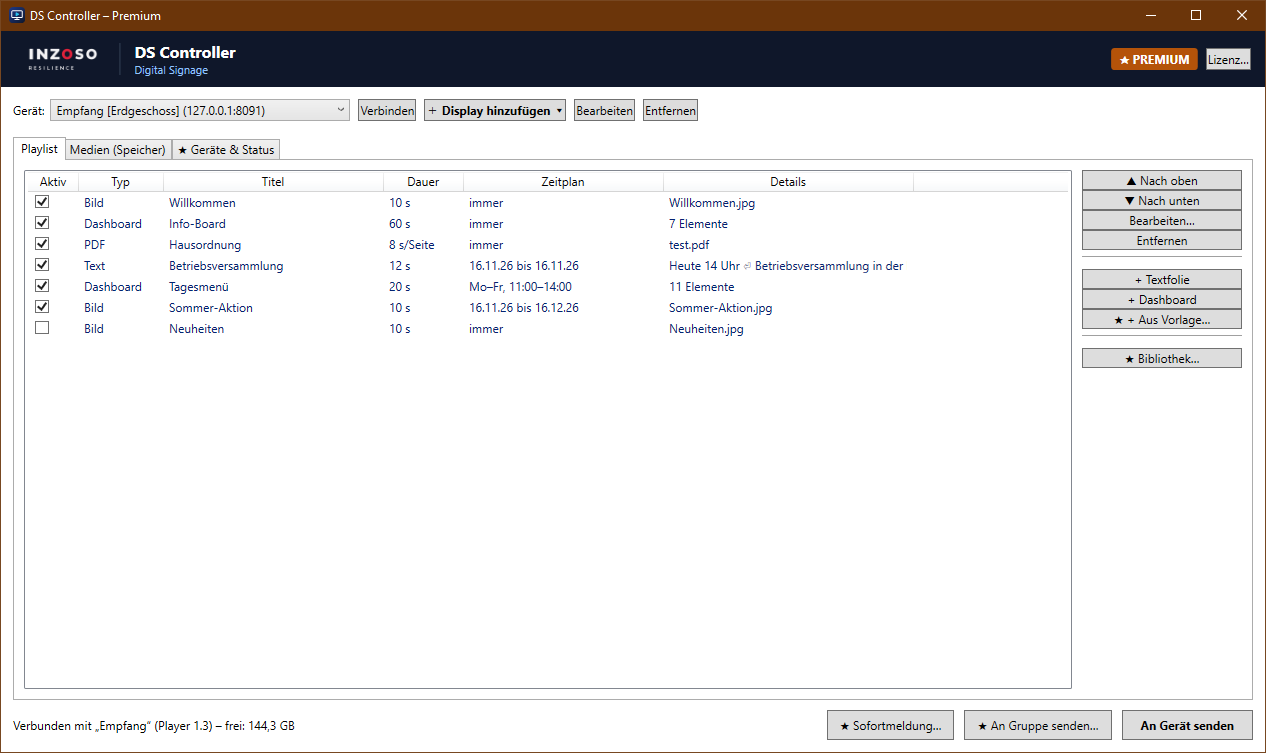
Order, duration and an active switch per entry. Schedules show content only on certain days and times.
Dashboards and text slides
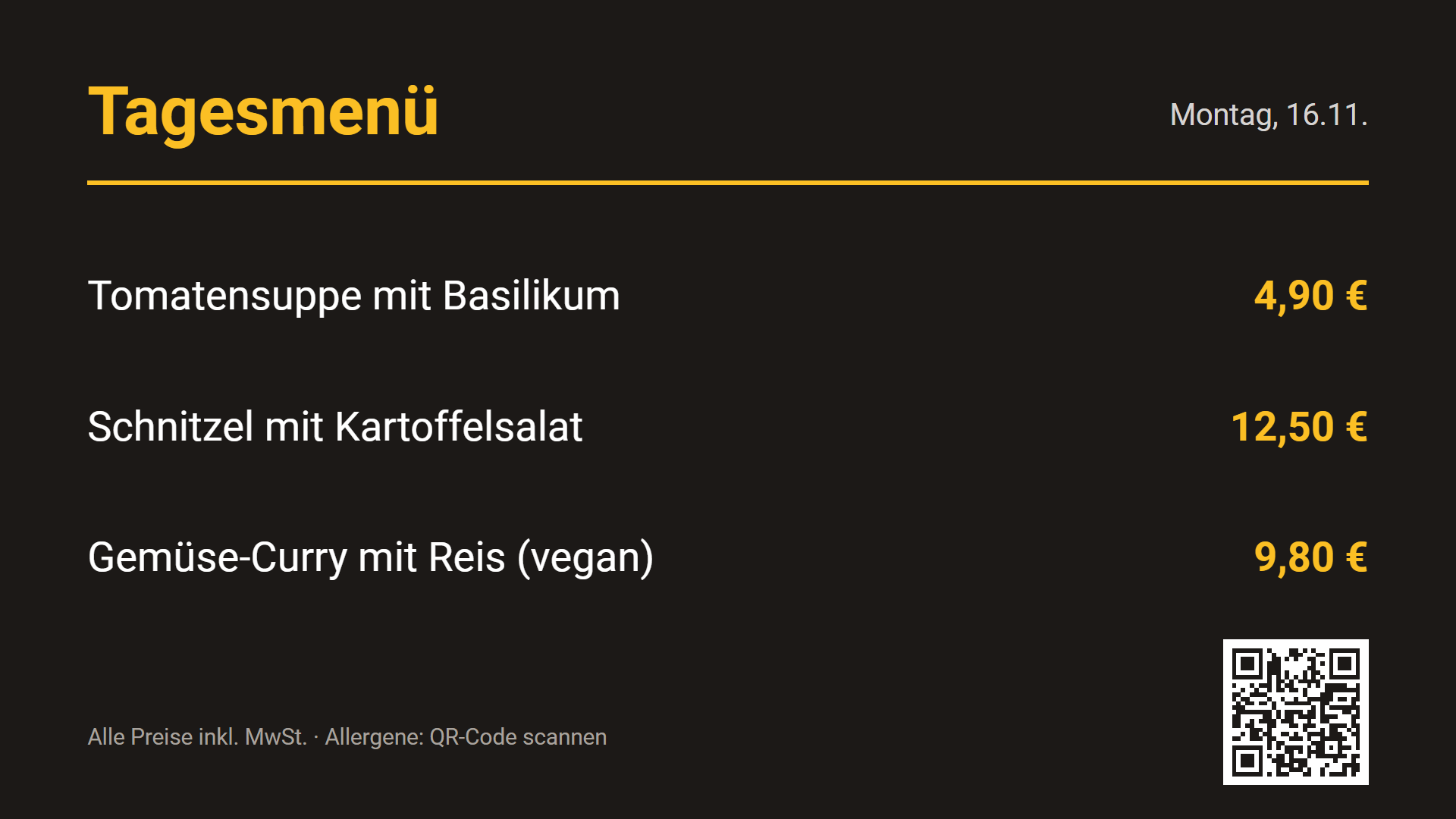
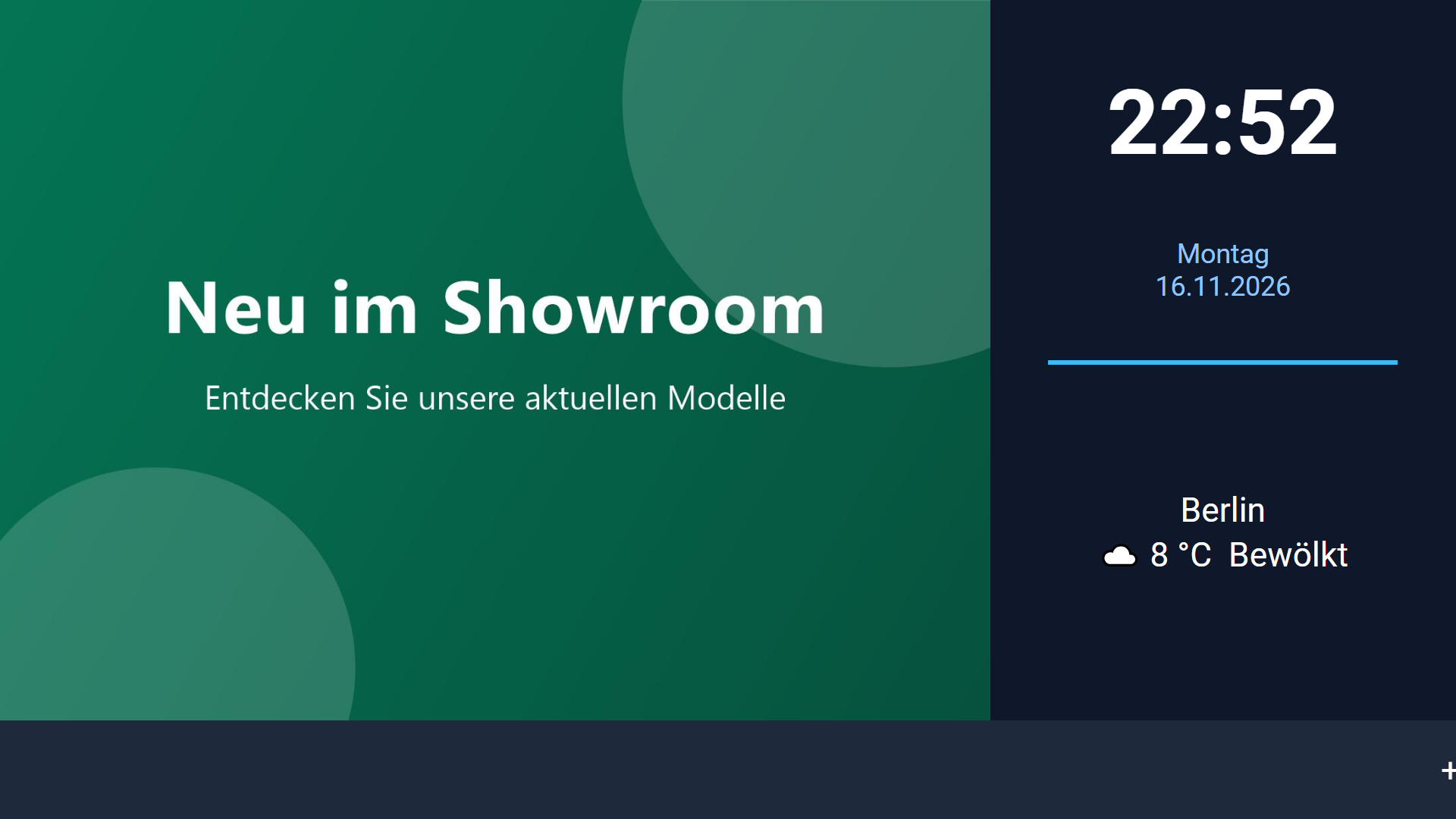
Freely designed slides with text, clock, date, image and shapes. The player picks up changes within seconds, no restart needed.
Multiple screens
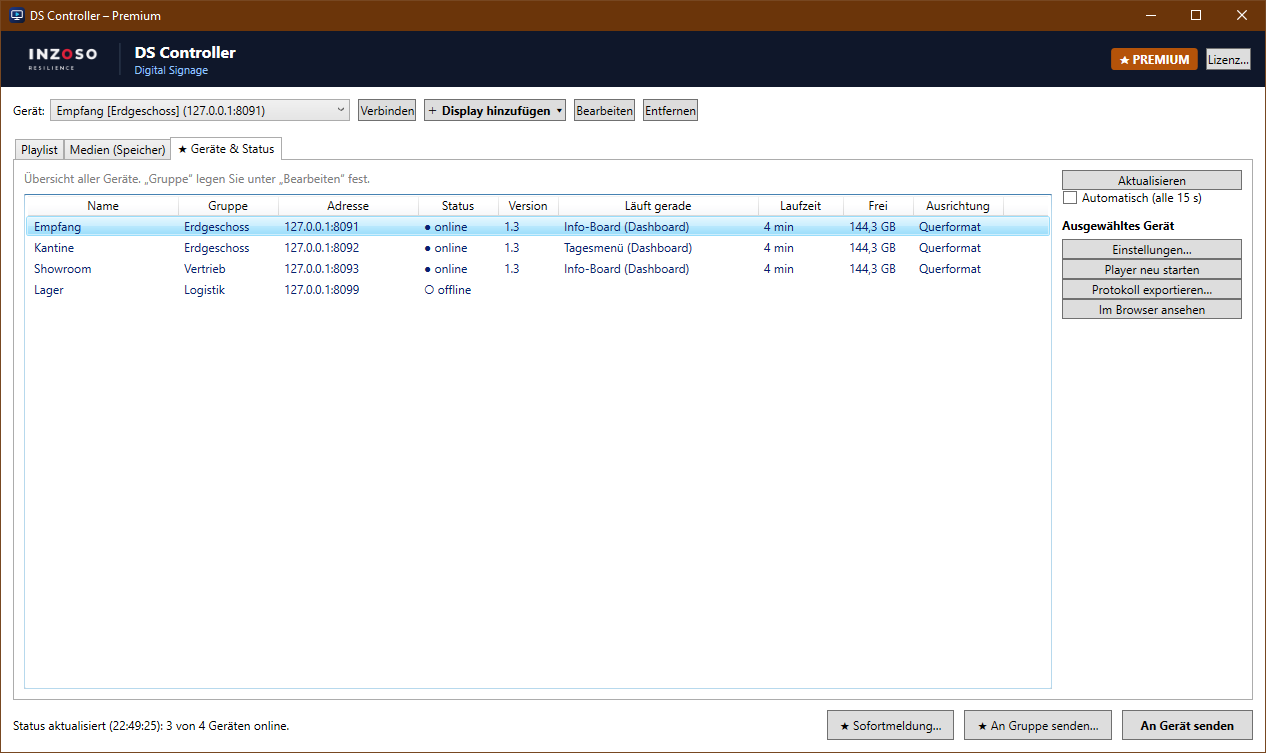
Premium manages any number of devices in groups and sends content to a whole group. Media is transferred automatically.
Instant alerts
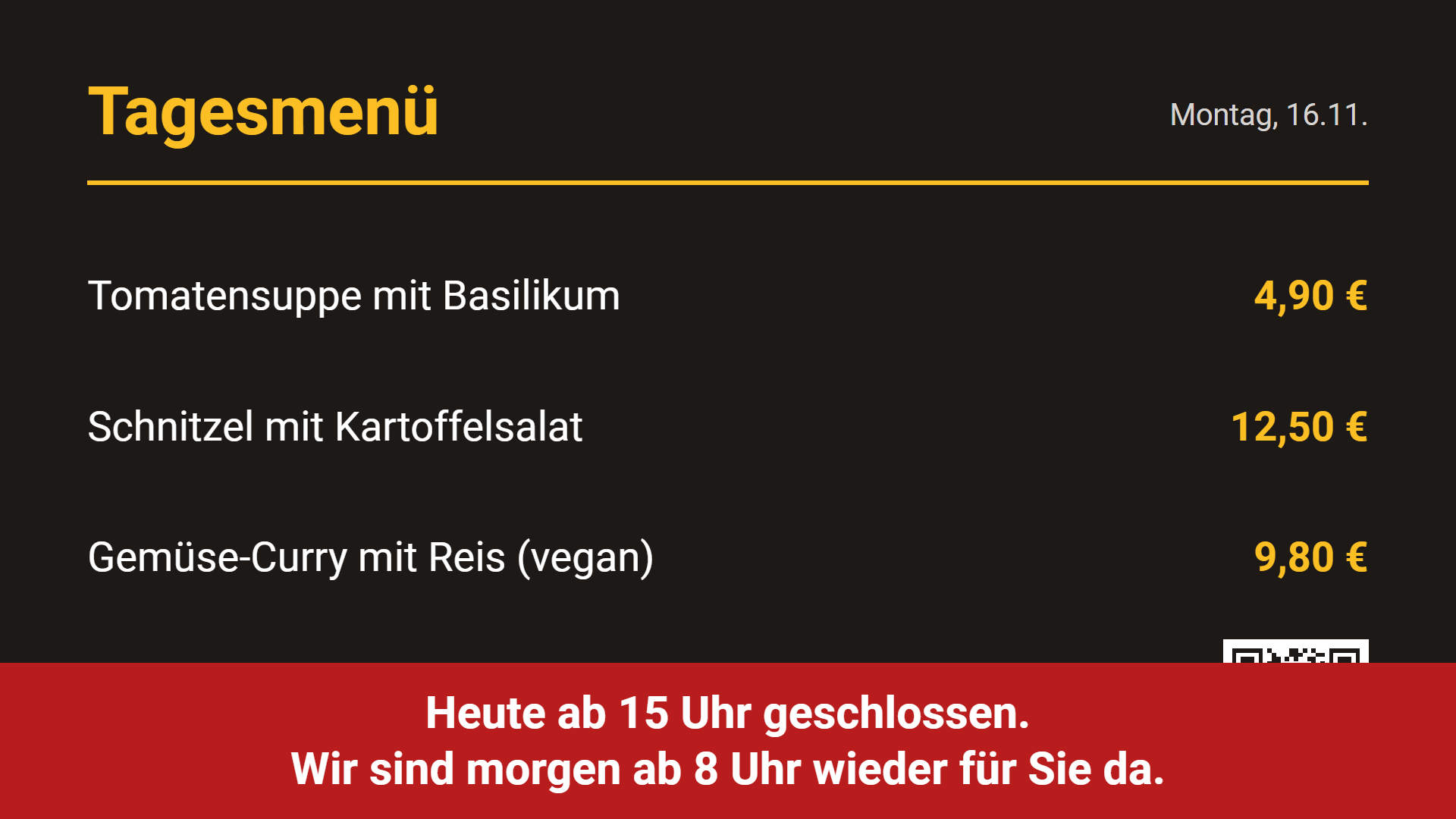
An important notice needs to be on all screens now? Send it as full screen or banner, with an expiry time if you like.
Status and log
See which device is online, what is playing and for how long. Remote restart and a playback log as CSV included.
THE PROGRAM
Clear to use
PREMIUM
More content and convenience
Weather, ticker, RSS
Current weather, scrolling tickers and RSS news as slides.
Countdown, QR code, web page
Countdowns, QR codes and embedded web pages for promotions and notices.
Split screen
A media zone beside dashboard elements: video on the left, information on the right.
Templates and library
Dashboard templates and a playlist library to save, load, export and import.
Portrait and quiet hours
Portrait or upside down, plus quiet hours when the screen shows nothing.
ON THE SCREEN
What your displays look like
HOW IT WORKS
Your first display in three steps
Install
Install the DS Manager on your Windows PC. The wizard guides you through the setup.
Set up the player
Install the DS Player on the Fire TV or Android TV, directly from the program. Alternatively the player runs in a browser or on a Windows PC.
Send content
Put media and playlist together and send them to the device. The screen shows the content after a few seconds.
PRICE
Pay once, use for good.
The Premium edition of the DS Manager costs a one-time 29 €, with no subscription and no running fees. We handle the purchase personally: just get in touch and we will reply with the next steps.
Before that you can try the DS Manager with all features free of charge for 30 days.
- All features, any number of screens
- No subscription, no running costs
- 30-day free trial
- Purchase by contacting us
You do not buy in an online shop. A short enquiry to us is all it takes.
EDITIONS
Trial, Standard and Premium
- 30-day trial. From the first start all Premium features are active.
- Standard (free). After the trial the DS Manager keeps running: 1 screen, media, PDFs, text, dashboards and schedules.
- Premium (one-time 29 €). Any number of screens and groups, instant alerts, device status, weather, ticker, RSS, countdown, QR code, web page, media zone, templates, playlist library, portrait mode, quiet hours and playback log.
REQUIREMENTS
What you need
- Windows PC. Windows 10 or 11, 64-bit, for the DS Manager. About 300 MB of free disk space.
- Display device. An Amazon Fire TV (Stick, Stick 4K, Stick 4K Max, Cube), an Android TV or Google TV device on the same network as the PC. Alternatively any browser on the network or a Windows PC with Edge in full screen (via the bundled DS server). Raspberry Pi and Linux PCs are coming soon.
- About 5 minutes. For the setup on the TV. You add more screens later with “Add display”.
GET STARTED
Try it out
Frequently asked questions
How much does INZOSO Digital Signage cost?
The Standard version is free. The Premium edition of the DS Manager costs a one-time 29 €, no subscription. To buy it, please get in touch.
Can I try it first?
Yes. After the download all features are active for 30 days. After that the Standard version keeps running, including PDFs, videos and schedules for one screen.
Which screens are supported?
Amazon Fire TV, Android TV and Google TV with the DS Player. Also any browser on the network and Windows PCs through the DS server. Raspberry Pi and Linux are coming soon.
Do I need internet access?
The local network is enough for operation. The license is checked locally, there is no online lookup. Weather and RSS naturally need internet.
Is the connection encrypted?
Communication on the network uses HTTP and is protected against unauthorized changes by a key, but it is not encrypted. Only run the devices in a trusted network.
Next step
Digital signage for your business.
Want to buy Premium or have questions about using it? Write to us and we will get back to you personally.
Request a conversation