DIGITAL SIGNAGE / SETUP
Setup in 5 minutes.
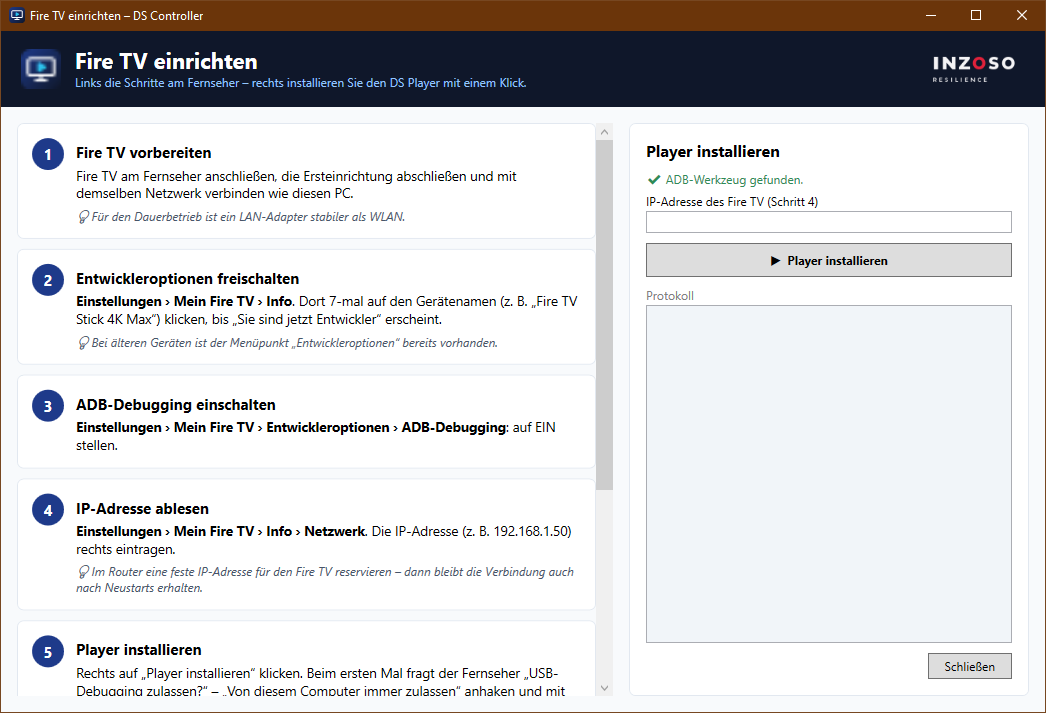
Setup takes about five minutes. After installation a wizard in the program guides you through the steps. Here you find the detailed guides for every device type.
OVERVIEW
How it works
Install the DS Manager
Download and run the installer. It contains the controller, the player app and the DS server.
Choose a display
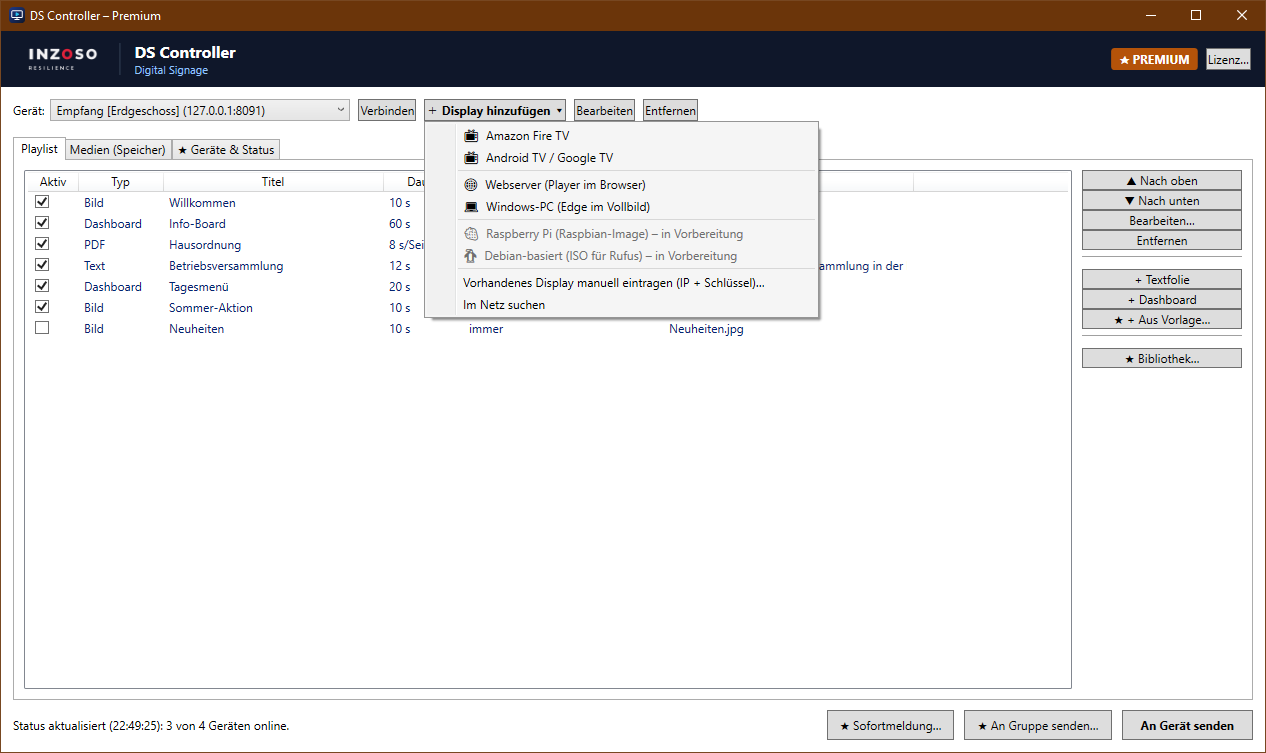
In the program choose “Add display” and select the device type: Fire TV, Android TV / Google TV, web server or Windows PC.
Pair
The screen shows an IP address and a 6-digit pairing key. Enter it in the wizard.
Send content
Upload media, arrange the playlist and choose “Send to device”. The screen picks it up after a few seconds.
GUIDES
Step by step
Installation on Windows Amazon Fire TV Android TV and Google TV Web version in the browser Windows PC as a display Media and playlists Troubleshooting
NEXT
Related pages
Next step
Need help with the setup?
If something does not work or you want to run several locations, we are happy to help.
Request a conversation