Getting started
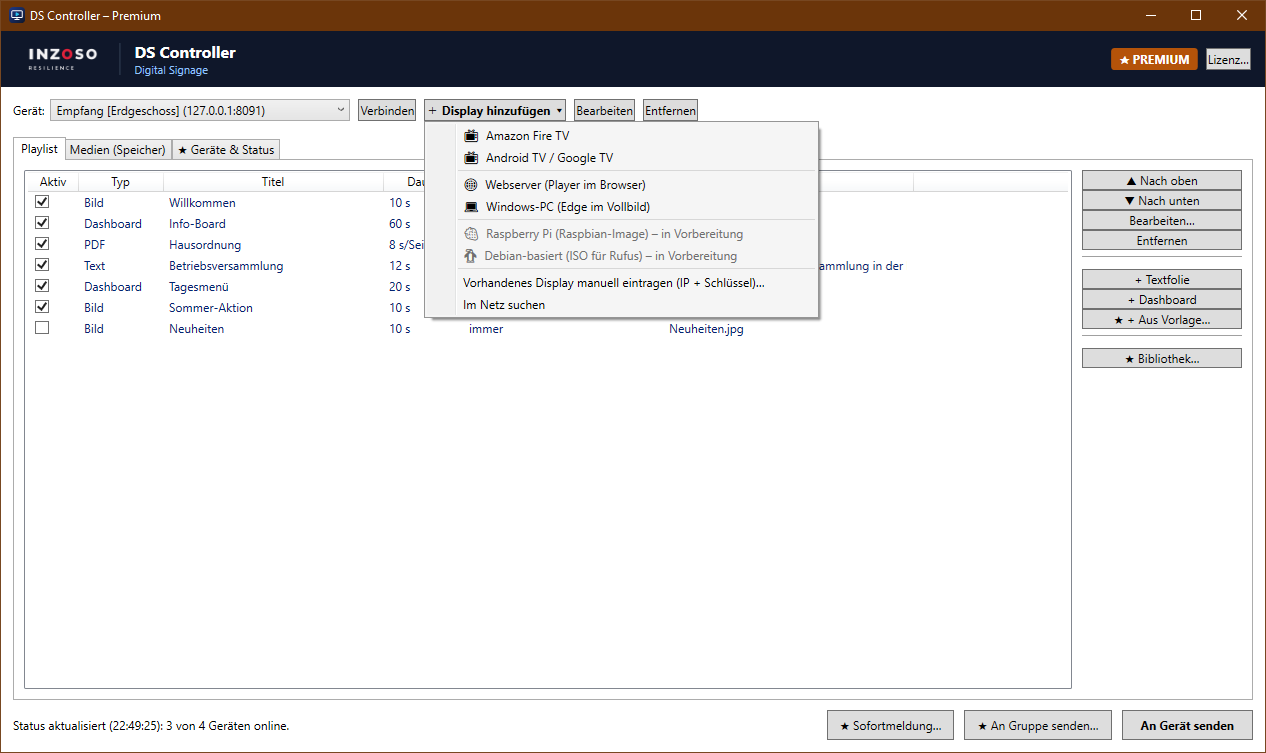
In the DS Controller: “+ Display hinzufügen” › “Amazon Fire TV”. The setup wizard shows the same steps and installs the player with one click. Supported are Fire TV Stick, Stick 4K, Stick 4K Max and Cube.
Step 1: Prepare the Fire TV
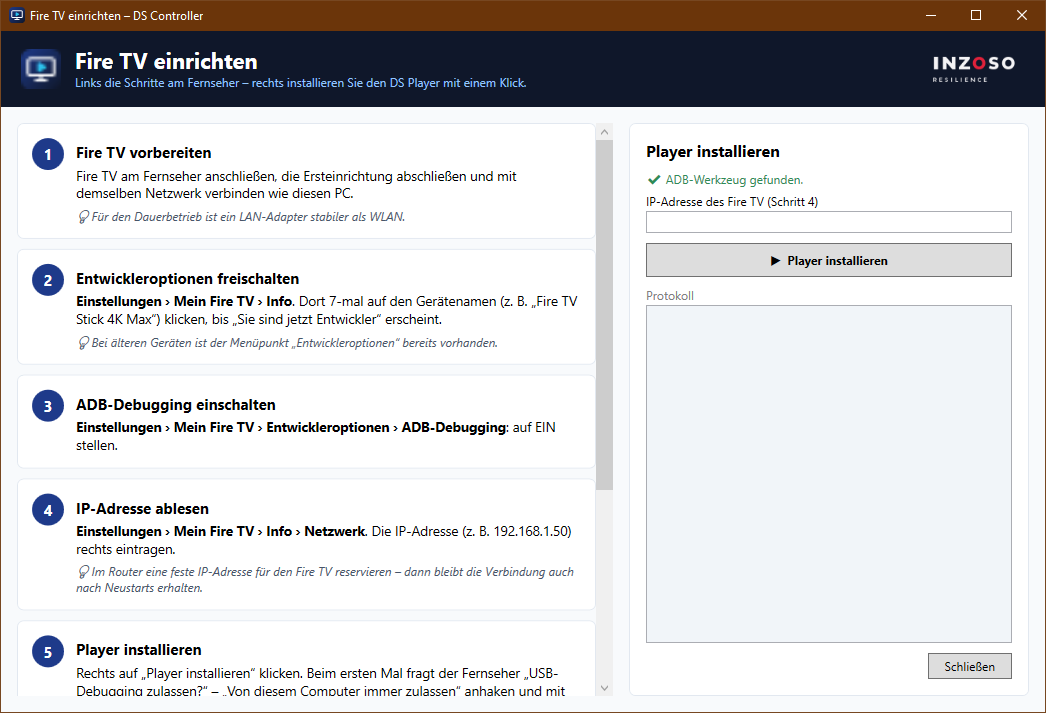
Connect the Fire TV to the TV, finish the initial setup and join the same network as the PC.
Tip: For continuous operation a LAN adapter is more stable than Wi-Fi.
Step 2: Unlock developer options
Settings › My Fire TV › About. Click the device name (e.g. “Fire TV Stick 4K Max”) 7 times until “You are now a developer” appears.
Tip: On older devices the “Developer options” item is already there.
Step 3: Turn on ADB debugging
Settings › My Fire TV › Developer options › ADB debugging: switch to ON.
Step 4: Read the IP address
Settings › My Fire TV › About › Network. Enter the IP address (e.g. 192.168.1.50) in the wizard.
Tip: Reserve a fixed IP address for the Fire TV in your router. The connection then survives restarts.
Step 5: Install the player
Click “Player installieren” in the wizard. The first time, the TV asks “Allow USB debugging?”. Tick “Always allow from this computer” and confirm with OK.
The wizard also allows the player to start automatically after a Fire TV restart. If the free ADB tool from Google is missing on the PC, the wizard offers to install it with one click.
Step 6: Set up continuous operation (recommended)
Settings › Display & Sounds › Screensaver › Start time: “Never”. Optionally disable automatic shut-off in the TV settings.
Step 7: Pair
After the installation press any button on the remote: IP address and the 6-digit pairing key appear at the bottom left (for 15 seconds). Enter the key in the wizard and click “Als Gerät hinzufügen”.
Afterwards and good to know
The screen shows the INZOSO logo until the first playlist is sent. Continue with the article on media and playlists.
- The player restarts automatically after a power cut.
- The remote’s Back button does not quit the player by accident. The Home button takes you to the Fire TV menu as usual.
- Pressing a button on the remote shows the pairing key at any time.