Privacy check: how to proceed
The check searches folders or individual files for possibly sensitive content. The findings are notes for manual assessment. Nothing is changed or deleted, and values are shown masked.
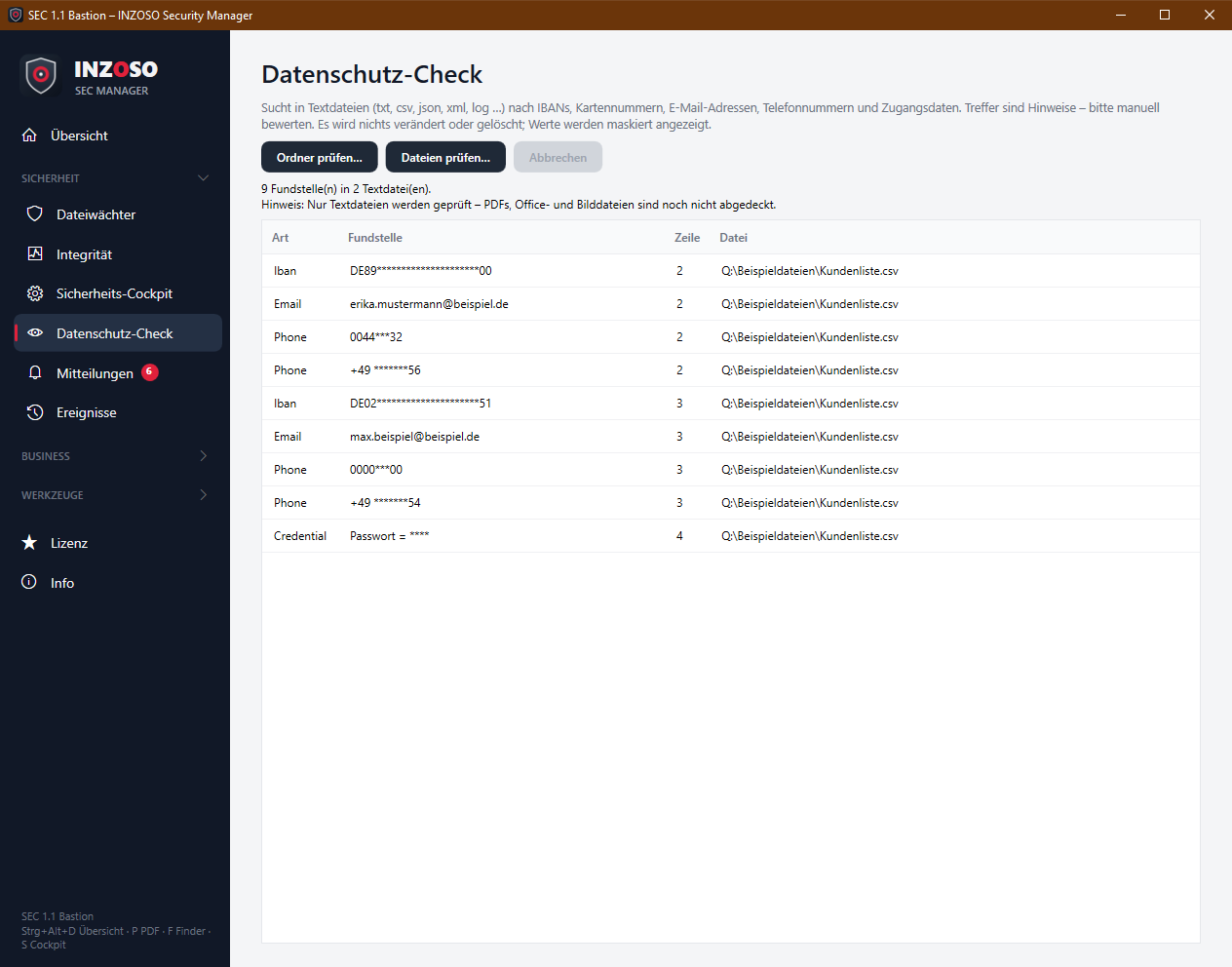
- Choose “Ordner prüfen…” (including subfolders) or “Dateien prüfen…”.
- The table shows type, finding, line and file. A double-click shows the file in Explorer.
- The summary gives the number of findings and files. If files were skipped, it says “Unvollständig” below.
What is detected
- IBAN: format with a valid checksum (modulo 97), shown masked, e.g. DE89****…00
- Credit card: 13 to 19 digits with a valid Luhn checksum, masked
- Email: usual address form, in clear text
- Phone: German numbers (+49, 0049, 0…), masked
- Credentials: passwort, password, pwd, secret, api_key, token, kennwort with a value, value shown as ****
- Private key: PEM header -----BEGIN … PRIVATE KEY-----, as a note
- Thanks to the checksums (IBAN, card) there are far fewer false hits than with plain pattern search.
Limits of the privacy check
- Only text files are checked: txt, csv, json, xml, md, log, ini, cfg, conf, env, yml, yaml, html, htm, sql, ps1, cs, py, js, ts, config, properties. PDFs, Office and image files are not covered yet; the result says so too.
- Files over 20 MB are skipped and reported as incomplete.
- It is a heuristic: please assess every finding yourself.
Showing metadata (no license)
Documents often reveal more than you think: author, program, timestamps, company name. The “Metadaten” page shows these properties. PDF and Office files (.docx, .xlsx, .pptx and the macro variants .docm, .xlsm, .pptm) are supported.
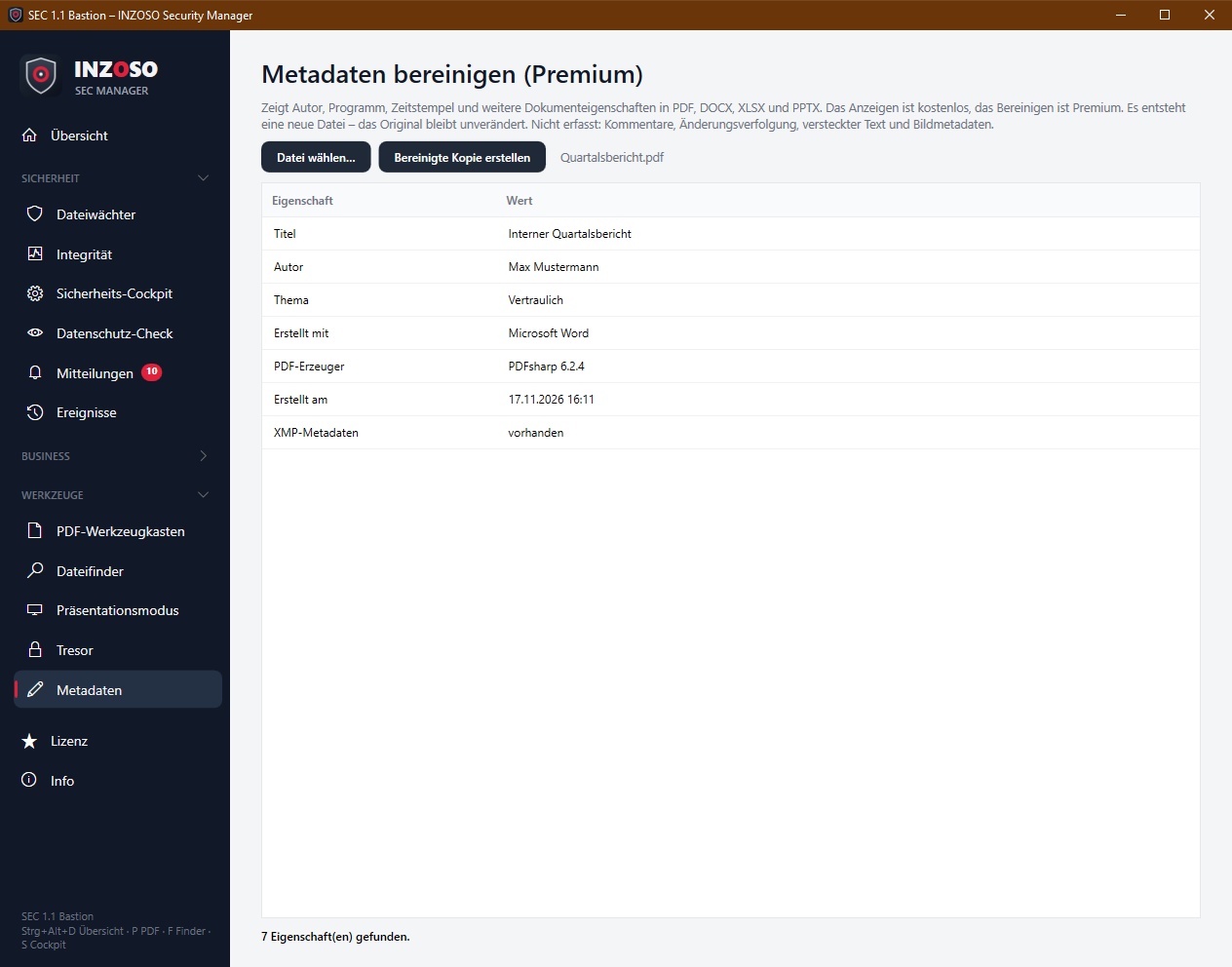
- PDF: title, author, subject, keywords, “created with”, PDF producer, created on, modified on, XMP metadata
- Office: creator, last modified by, title, subject, keywords, description, category, created and modified; company, manager, application, program version, template; custom properties
Cleaning metadata (Premium)
“Bereinigte Kopie erstellen” saves a new file <name>_bereinigt.<extension> next to the original, which stays unchanged.
- PDF: The info dictionary is emptied and the XMP packet removed.
- Office: Document and application properties are replaced with empty ones, the custom properties removed. The content is kept.
- Afterwards the table shows what is still present (check). If properties remain, the message says so explicitly.
Limits of the cleaning
The cleaning removes document properties. Not covered:
- comments and track changes
- hidden text, hidden sheets or slides
- embedded objects and files
- image metadata (e.g. EXIF with location), also for images embedded in documents
- Check a document yourself as well before passing it on, especially for confidential content.