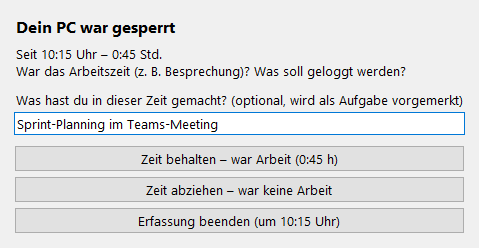
Idle detection (Premium)
The WRK-Manager notices when mouse and keyboard were not used for longer than set (default 10 minutes). When you return it asks:
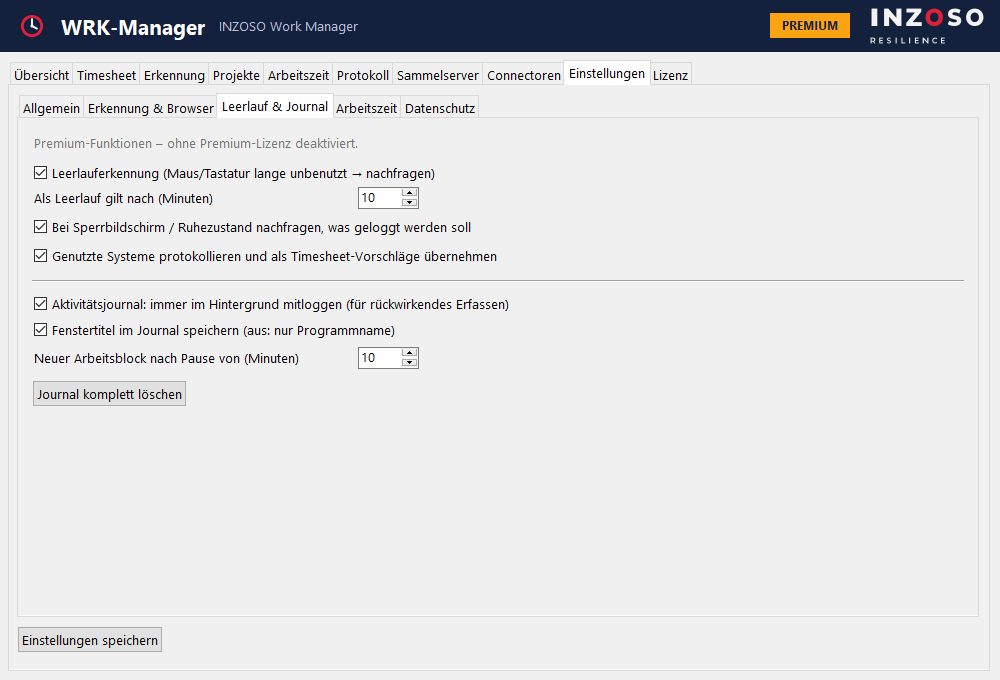
- Keep time
- Deduct time
- End recording (retroactively to the start of the inactivity)
Lock screen and sleep (Premium)
Here the WRK-Manager deliberately does not pause automatically: you may have been in a meeting, so that would be wrong. If the PC was locked or asleep, it asks on your return what should happen to the time: keep it (it was work), deduct it or end the recording. In a text field you can note what you did during that time. The note is queued as a task and suggested when you stop.
Automatic timesheet entries (Premium)
During a recording the WRK-Manager logs which rule systems were used and for how long. When you stop, this becomes task suggestions with the text defined per rule and the minutes (from 1 minute). You can change everything, and the function can be switched off.
Activity journal (Premium)
The journal is off by default. Switched on, it permanently logs the active window in the background (program, optionally title, domain). Idle time and lock are not logged, and the exclusion list applies.
Recording retroactively (Premium)
Via “Rückwirkend erfassen…” in the timesheet you choose a period and the system suggests work blocks.
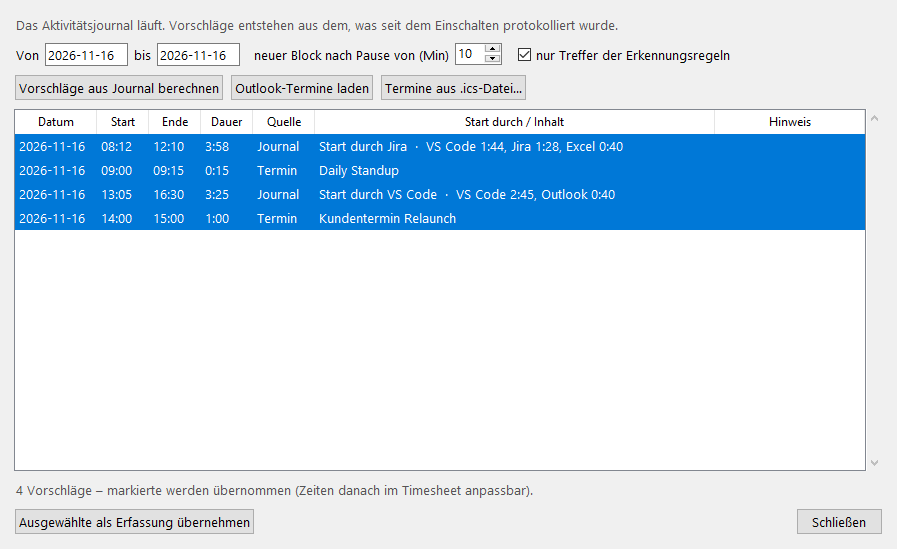
- It shows what triggered the start, e.g. “Start durch Jira · VS Code 1:44, Jira 1:28 …”.
- A new block begins after an adjustable pause (default 10 minutes). Blocks under 5 minutes are discarded.
- Optionally only hits of the detection rules are considered.
- Suggestions that overlap existing entries are marked and not preselected.
- Accepted suggestions become normal timesheet entries and can be edited afterwards.
Appointment suggestions
You can also load appointments as suggestions:
- “Outlook-Termine laden”: from classic Outlook via PowerShell. This function has not yet been tested with a real Outlook installation.
- “Termine aus .ics-Datei…”: from a calendar export. This import is tested; recurring appointments are not resolved.