The timesheet
The timesheet shows date, from, to, duration, tasks and trigger, with a filter by period (quick choice today, week, month) and the total at the bottom.
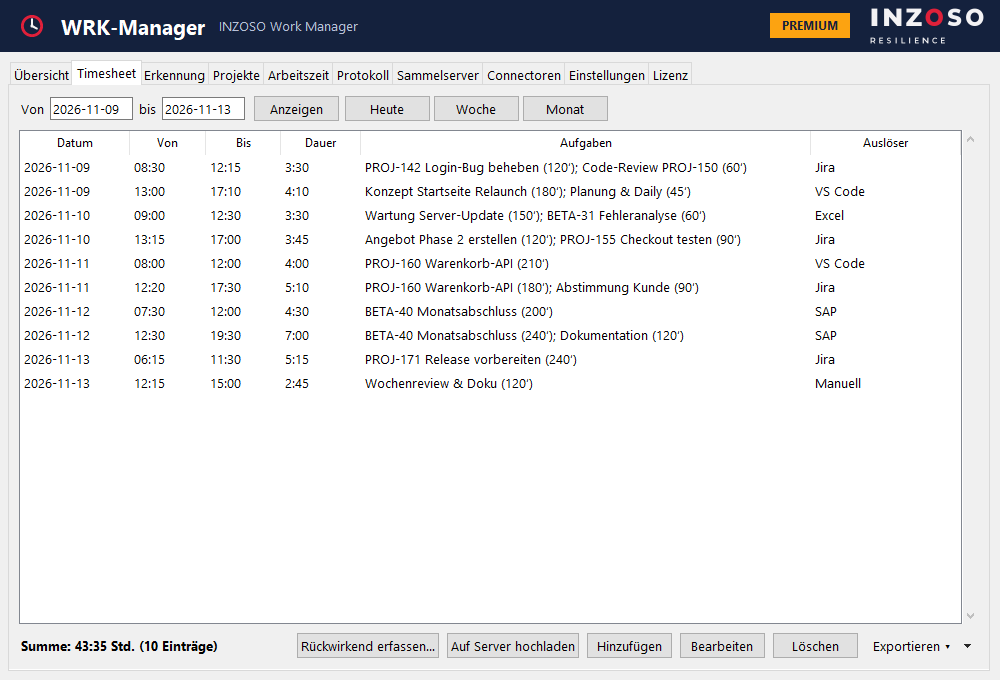
- Add, edit (also by double-click) and delete entries
- “Exportieren”: CSV (Standard), Excel, PDF and import CSV (Premium)
- “Auf Server hochladen” and “Rückwirkend erfassen…” (Premium)
Exporting
Use the “Exportieren” menu to choose the format. The Standard edition includes the CSV export; Excel, PDF and import CSV belong to Premium.
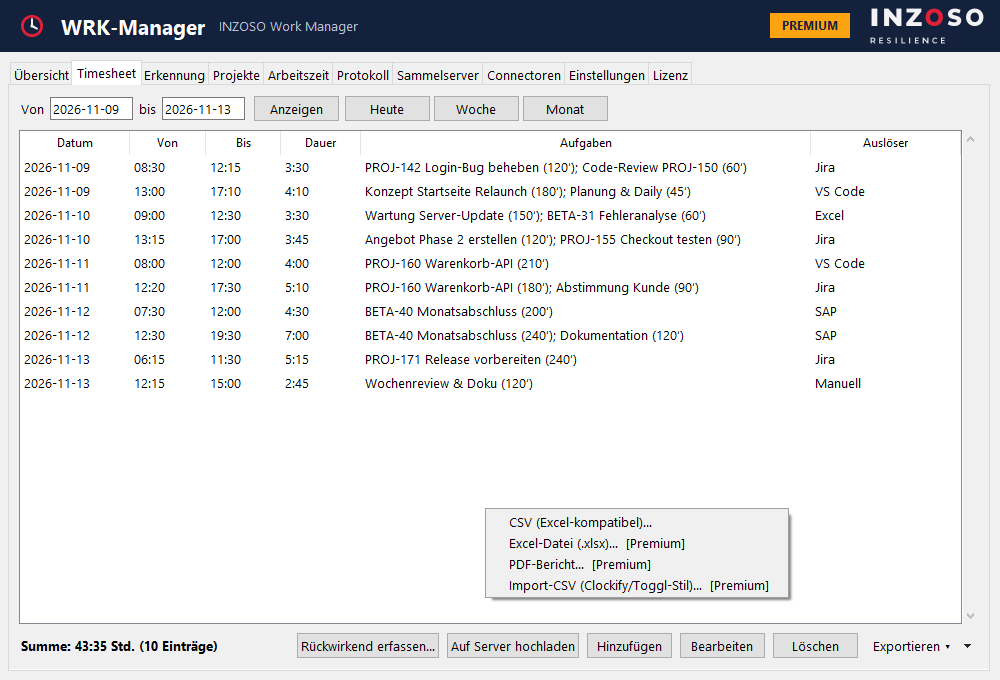
CSV export (Standard)
- Semicolon-separated, UTF-8 with BOM: the file opens correctly in German Excel right away.
- Columns: date, from, to, break/idle (min), duration (min), duration (h), tasks, trigger, project, client, rate, amount.
Excel, PDF and import CSV (Premium)
- Excel (.xlsx) with the sheets “Timesheet”, “Tage & Pausen” and “Projekte”.
- PDF report “Arbeitszeit-Bericht”: daily blocks with times and tasks, notes, times and amounts per project, multi-page, in the INZOSO colour scheme.
- Import CSV with English column names (Project, Client, Description, Start/End Date/Time, Duration, Billable) for time-tracking tools such as Clockify or Toggl. You map the columns on import if needed.
- In reports a missing mandatory break can be deducted automatically (column “Netto”).