Personal log (Premium)
The WRK-Manager reads all open windows and logs changes. The view in the “Protokoll” tab has filters for log, programs, event and period.
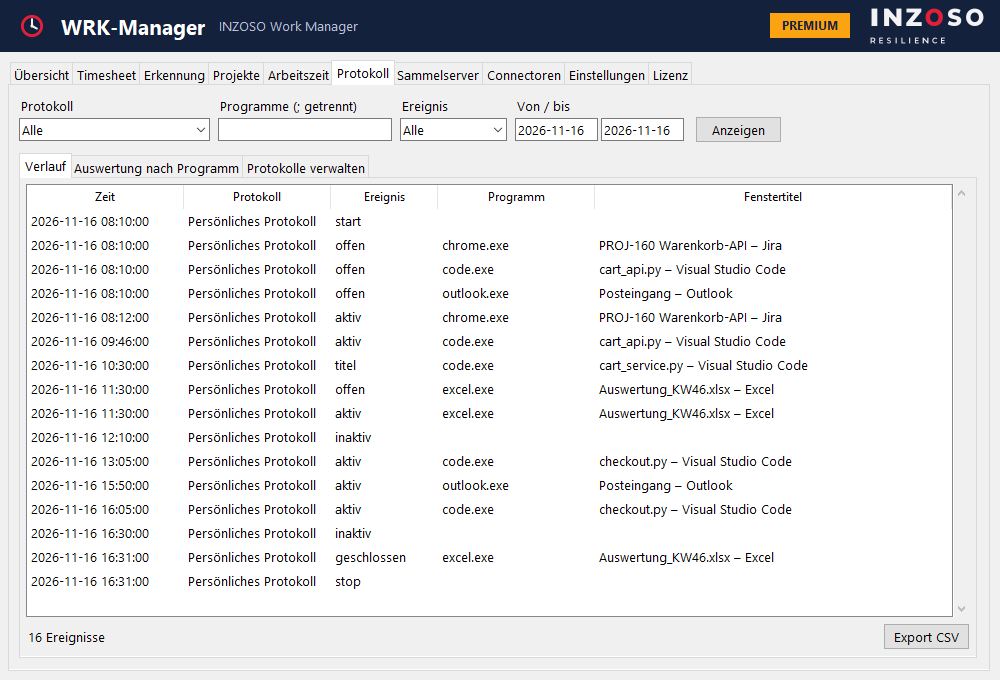
- offen and geschlossen (opened, closed): a window appears or disappears
- titel (title): the window title has changed
- aktiv and inaktiv (active, inactive): the window is in the foreground or not
- start and stop: beginning and end of the log
- Export as CSV (history and evaluation)
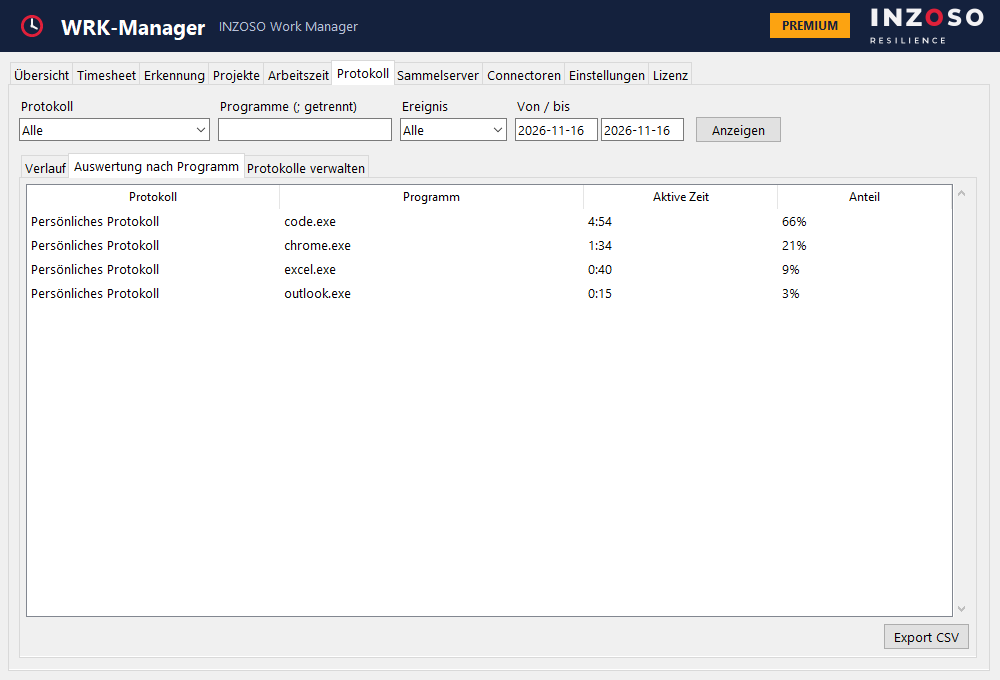
Evaluation by program
The evaluation shows the active time and share per program.
Your own logs
You can create several logs of your own. For each log you define:
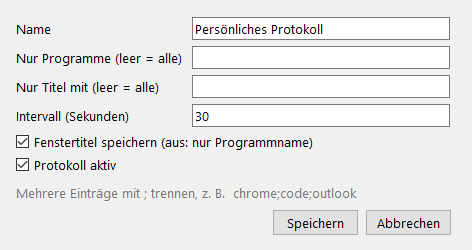
- name
- only certain programs (empty means all)
- title filter
- interval (at least 5 seconds, default 30 seconds)
- whether window titles are stored
- whether the log is active
Timesheet collection server (Premium)
The collection server stores timesheets (CSV) centrally. FTP, FTPS (FTP over TLS), SMB (Windows share) and WebDAV (http or https) are supported. SFTP is not supported.
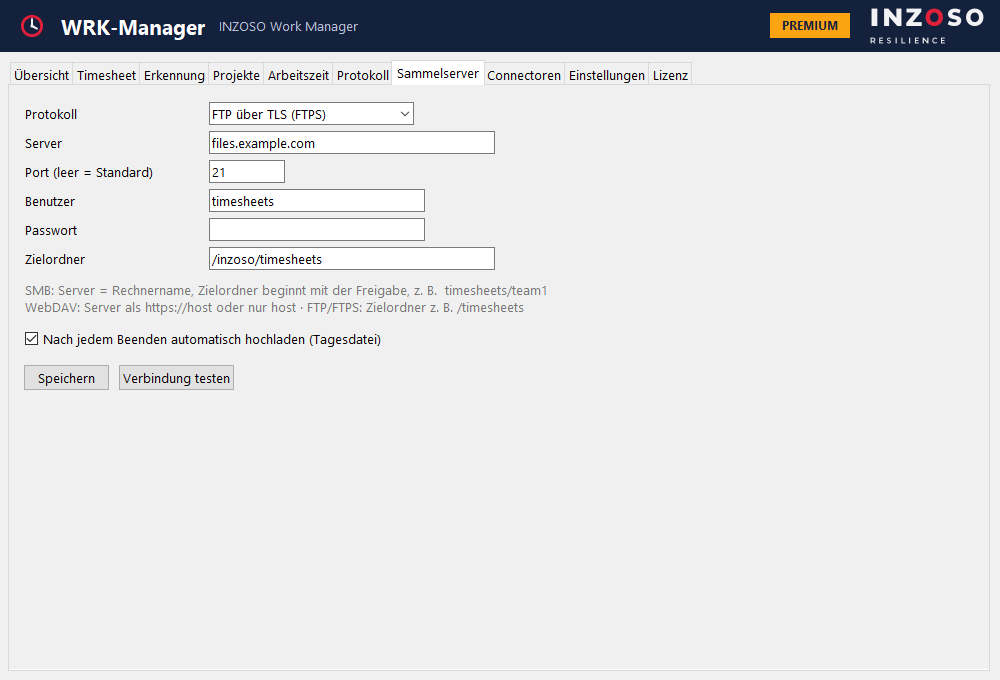
- Fields: server, port (empty means default), user, password (encrypted locally with Windows DPAPI) and target folder.
- “Verbindung testen” stores a test file.
- Optionally the WRK-Manager uploads a daily file automatically after each stop.
- File name: timesheet_<Windows user>_<date>.csv
- Entry notes: for SMB the server is the host name and the target folder starts with the share (e.g. timesheets/team1). For WebDAV enter the server as https://host or just host. For FTP/FTPS the target folder is e.g. /timesheets.
Privacy of the logs
Journal and log are opt-in. In the settings under “Datenschutz” there is a global exclusion list (pre-filled with password managers), the retention period (default 90 days) and “Alle Protokolldaten löschen” (delete all log data).