Overview (Premium, beta)
In the “Connectoren” tab you add a connector from the list via “+ Connector hinzufügen”. Below are the configured connectors with state (active or paused), automation, last synchronisation and result. Actions: “Jetzt synchronisieren”, “Konfigurieren”, “Aktiv/Pausiert”, “Entfernen” and “Übertragungsstatus zurücksetzen”.
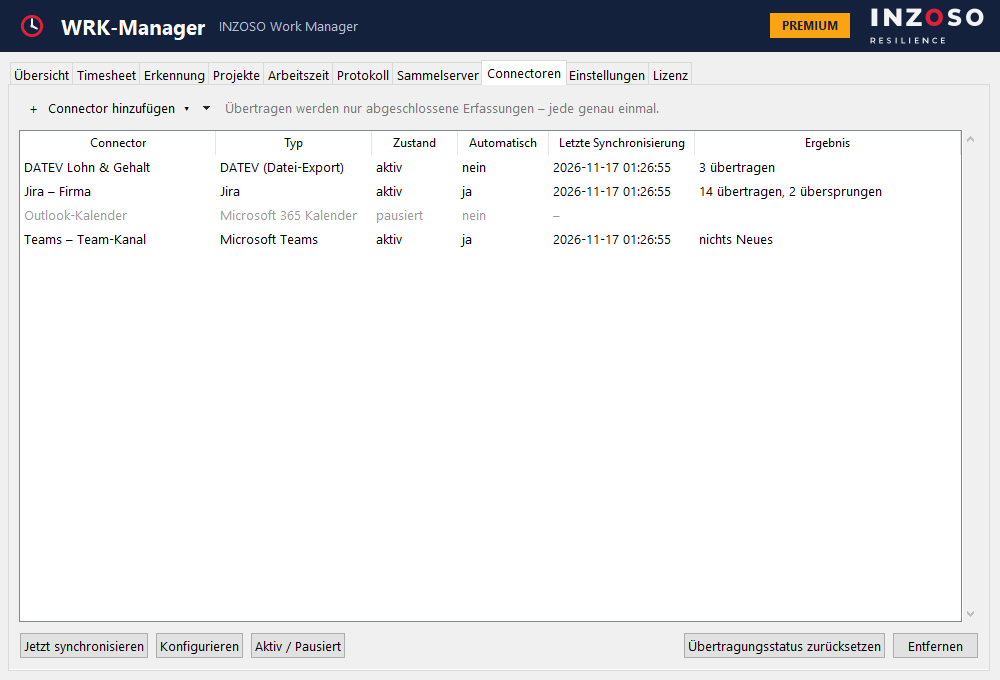
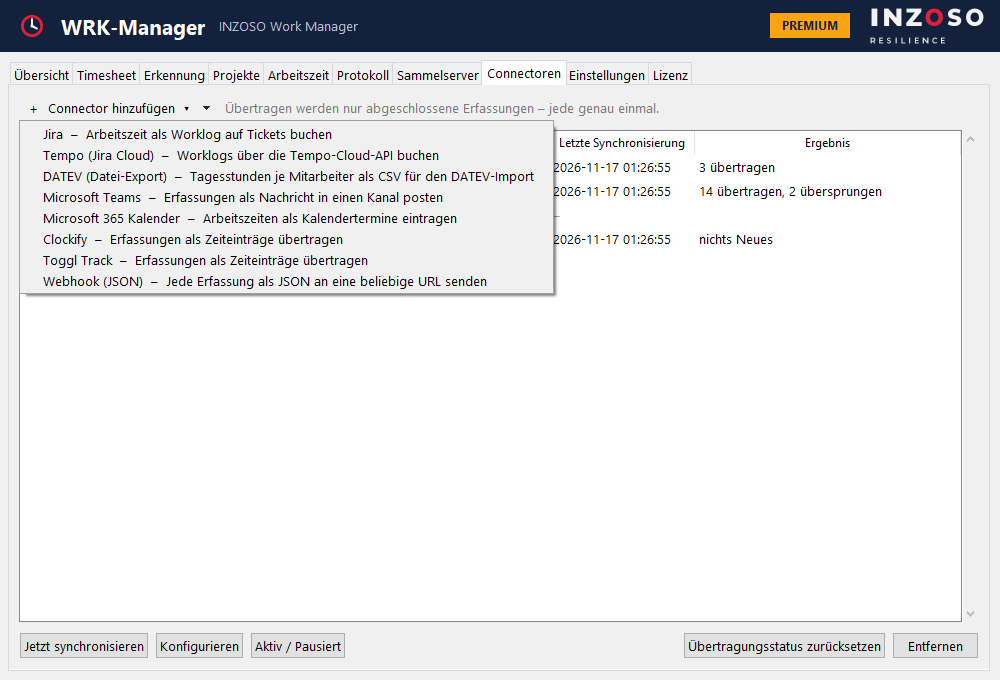
This applies to all connectors
- Only completed recordings are transferred.
- Every entry is transferred exactly once (duplicate protection). Faulty entries are retried the next time.
- Optionally automatically after every recording ends.
- The period looking back is adjustable (default 30 days).
- Every connector has “Verbindung testen”.
- Credentials are stored locally, encrypted with Windows DPAPI.
Jira and Tempo
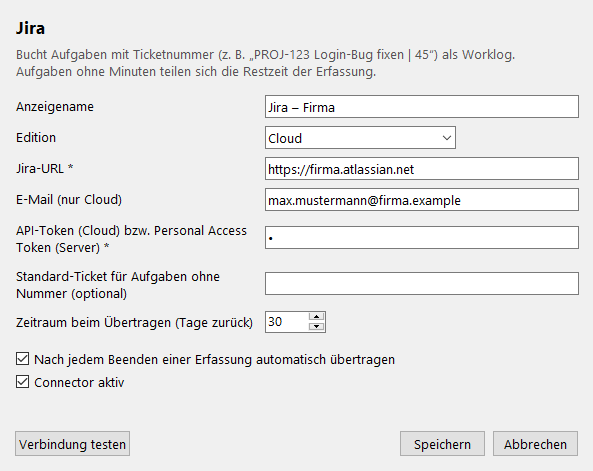
- Jira: books tasks with a ticket number as a worklog, e.g. “PROJ-123 Fix login bug | 45”. Tasks without minutes share the remaining time of the recording. Optionally there is a default ticket for tasks without a number. Jira Cloud (email and API token) as well as Server and Data Center (personal access token) are supported.
- Tempo (Jira Cloud): like Jira but via the Tempo cloud API. Needs a Tempo API token and Jira Cloud access to resolve ticket ID and account ID.
DATEV (file export)
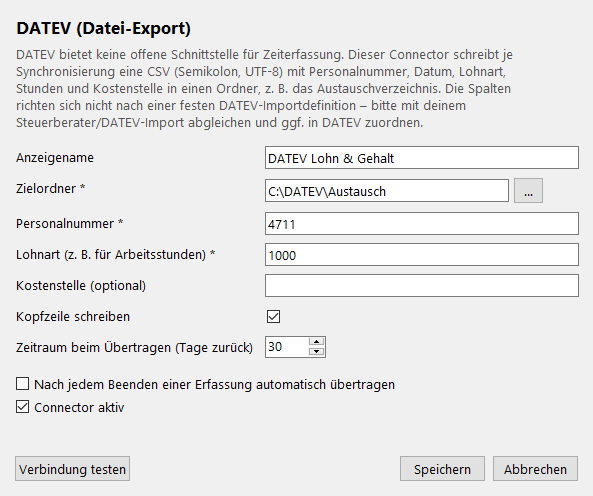
The DATEV connector writes one CSV (semicolon, UTF-8) per synchronisation with personnel number, date, wage type, hours (daily total), cost centre and remark into a target folder. It is not a direct DATEV interface and does not follow a fixed DATEV import definition. Please agree the format with your tax advisor or the DATEV import and map the columns in DATEV if needed.
Microsoft Teams and Microsoft 365 calendar
- Microsoft Teams: posts every recording as a card to a Teams channel via a workflow webhook.
- Microsoft 365 calendar: enters recordings as calendar events (status “free”, no reminder) in the Outlook calendar. Sign-in uses a device code; an app registration (client ID) in Microsoft Entra is required.
Clockify, Toggl Track and webhook
- Clockify: transfers recordings as time entries; projects are matched by project name where it exists.
- Toggl Track: transfers recordings as time entries, the project name is prepended to the description.
- Webhook (JSON): sends a JSON POST per recording to any URL (start, end, duration, project, client, tasks, trigger), e.g. for Zapier, Make, n8n or Power Automate, optionally with your own header.
Beta notice
The connectors are our own integrations through public interfaces. They were tested against simulated servers, not yet extensively against the real services, and are not certified or approved by Atlassian, Tempo, Microsoft, DATEV, Clockify or Toggl. We make no commitments about further services.