The overview
The overview shows your PC’s protection state as coloured tiles. A click on a tile opens the matching page. A header summarises the overall state, e.g. “1 Hinweis(e) – sonst in Ordnung.”
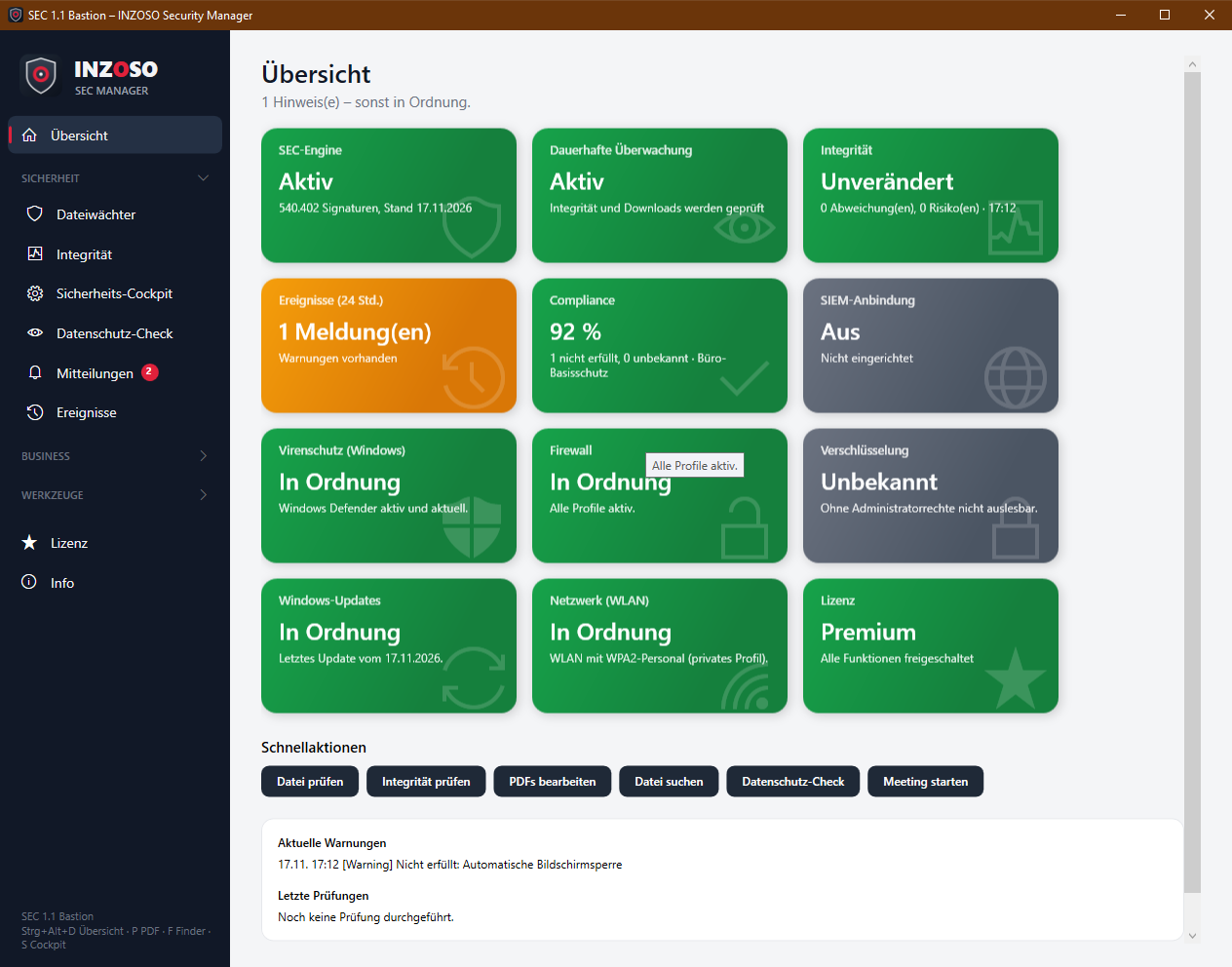
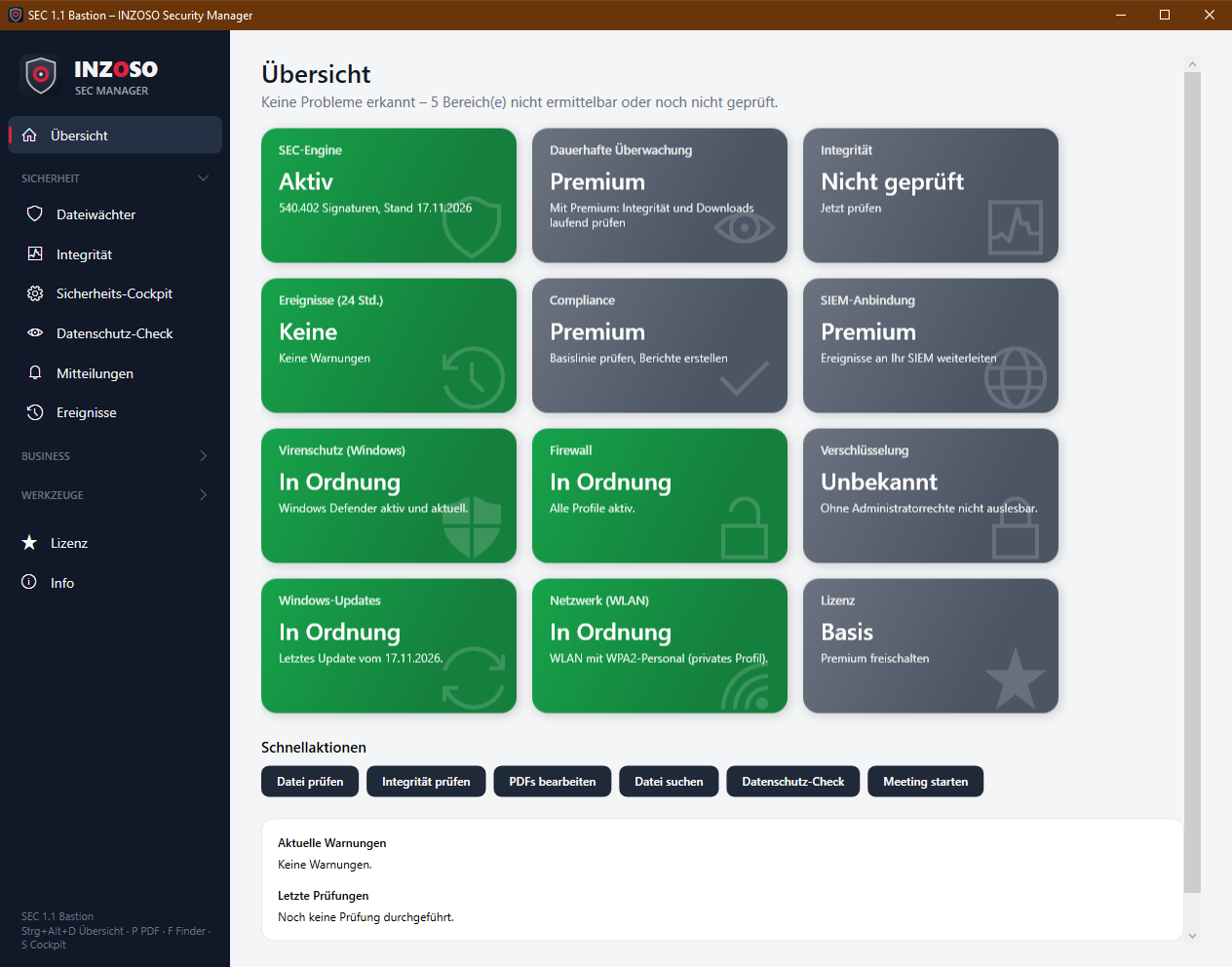
- Green: fine
- Orange: notice, please look at it
- Red: problem
- Grey: unknown or not yet checked (e.g. not readable without administrator rights)
- Blue (license only): Standard edition
- Twelve tiles: SEC engine, continuous monitoring (Premium), integrity, events (24 h), compliance (Premium), SIEM connection (Premium), antivirus (Windows), firewall, encryption, Windows updates, network (Wi-Fi) and license.
- Below the tiles are quick actions (check file, check integrity, edit PDFs, search file, privacy check, start meeting), the current warnings and the latest checks.
- Without Premium the tiles for Premium features show “Premium” in grey.
The security cockpit
The cockpit shows the most important security areas of Windows clearly, with status and, if needed, the next step. It only reads and changes nothing. “Neu prüfen” reads everything again.
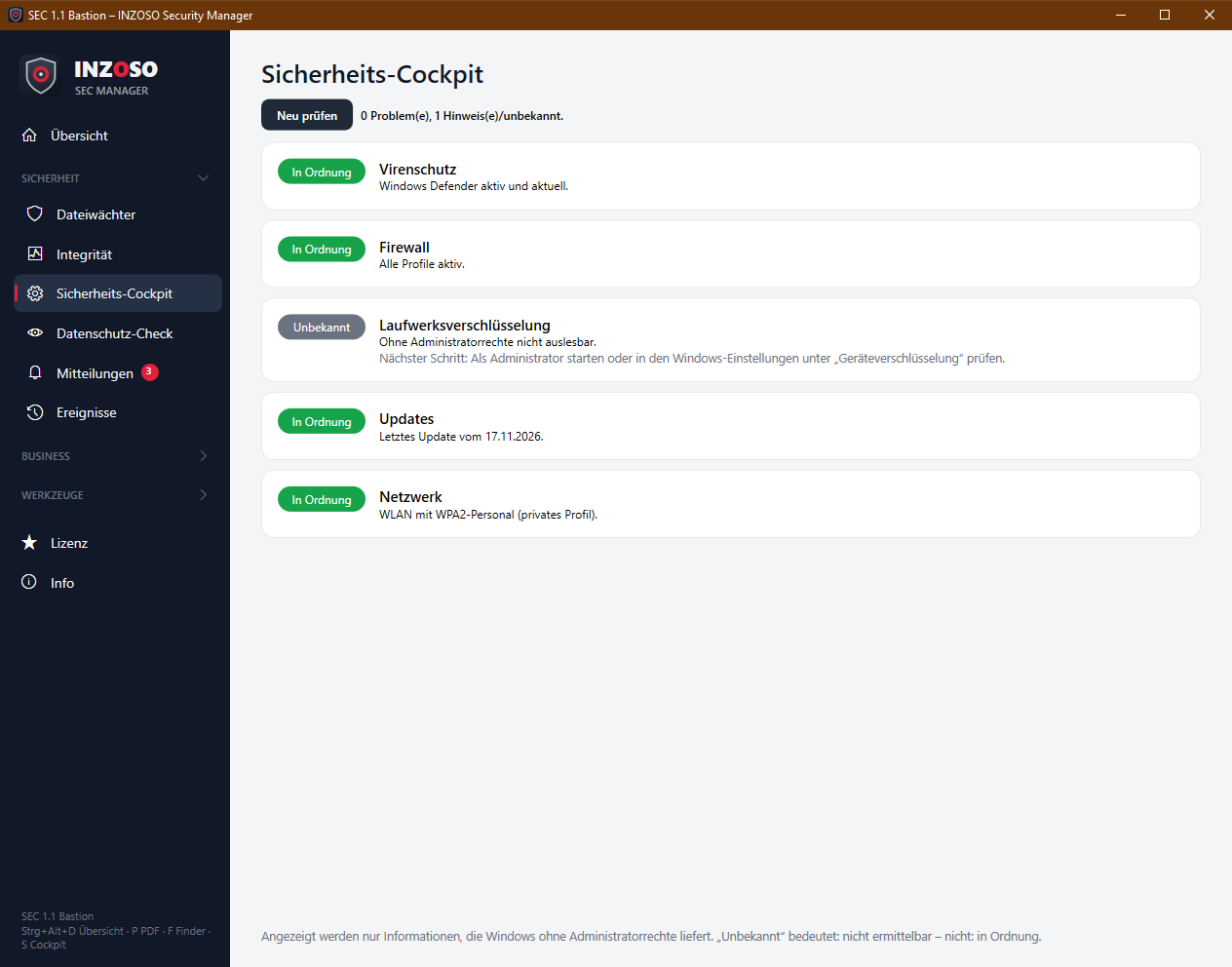
- Antivirus: registered antivirus products (Windows Security Center), activity and signature state. Fine, notice (signatures possibly outdated) or problem (not active or none registered).
- Firewall: Windows firewall, all profiles. Fine or problem (e.g. “Aus für: Öffentlich”).
- Drive encryption: BitLocker on the system drive. Fine, problem or unknown (not readable without administrator rights).
- Updates: date of the last installed Windows update. Fine (up to 45 days) or notice (older).
- Network: security of the current connection. Fine (WPA2/WPA3 or cable), notice (WPA) or problem (WEP or open Wi-Fi).
Notes
- “Unknown” (grey) means: could not be determined, not: fine. The header then says “Keine Probleme erkannt – n Bereich(e) nicht ermittelbar oder noch nicht geprüft.”
- The cockpit only shows information that Windows provides without administrator rights. The “Verschlüsselung” tile is usually grey without them.
- On an insecure Wi-Fi the cockpit recommends switching to a WPA2 or WPA3 network or using a VPN. With WPA, switch the router to WPA2 or WPA3.
- The compliance check (Premium) reads the encryption status through an additional source and may come to a different result than the cockpit.