Alpha status
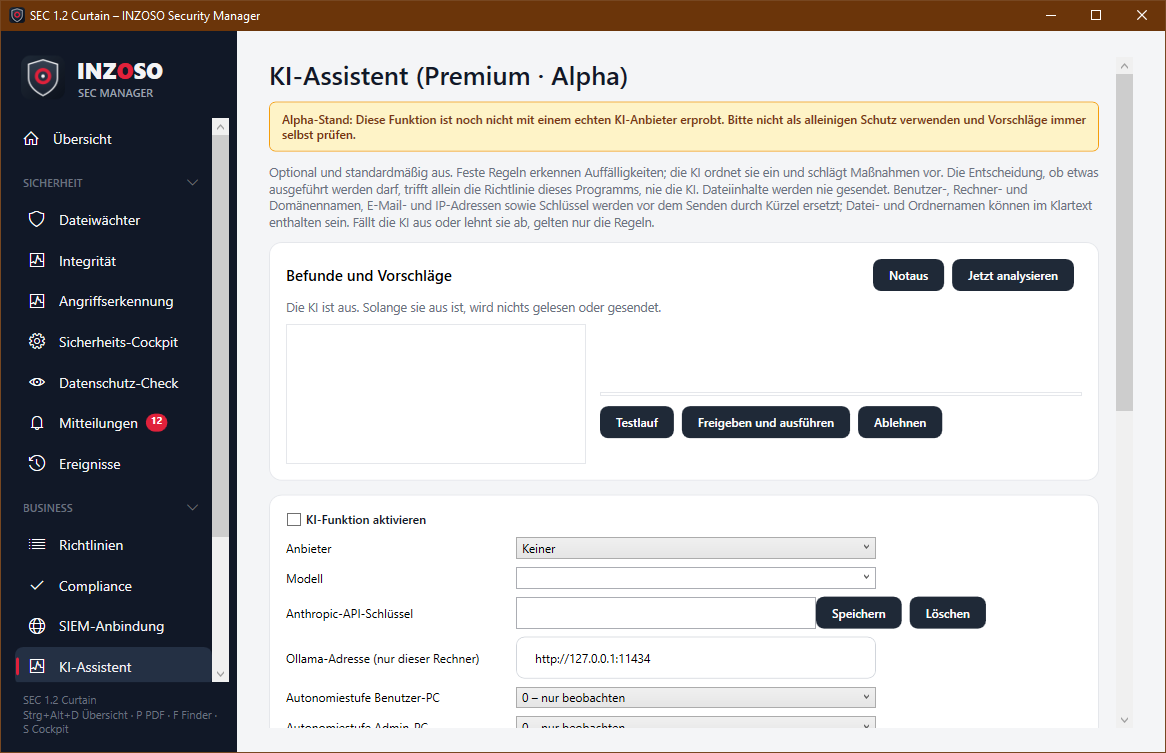
Alpha: The function is implemented and tested but not yet tried with a real AI provider. It is a Premium function and off by default. Do not use it as sole protection, always check suggestions yourself.
Fixed rules detect anomalies in Windows logs (new services from Temp or download folders, conspicuous PowerShell commands, Defender messages, real-time protection switched off, new scheduled tasks). The AI classifies these findings and suggests measures. Whether something may be executed is decided solely by this program’s policy, never by the AI. Warnings from attack detection also enter the analysis as sanitised events.
Providers
- Cloud (Claude / Anthropic): with your own API key. The key is stored with Windows user protection (DPAPI). A confirmation appears before every transmission. You choose the model freely.
- Local (Ollama): only on this computer (the address must be localhost or 127.0.0.1). No data leaves the computer.
What is sent
Only sanitised events: user, computer and domain names, email addresses, IP addresses, credentials and keys are replaced by placeholders before sending. File and folder names can be contained in clear text. File contents are never sent. The mapping of the placeholders stays on this computer. The sanitising is pattern-based and no guarantee.
Levels and limits
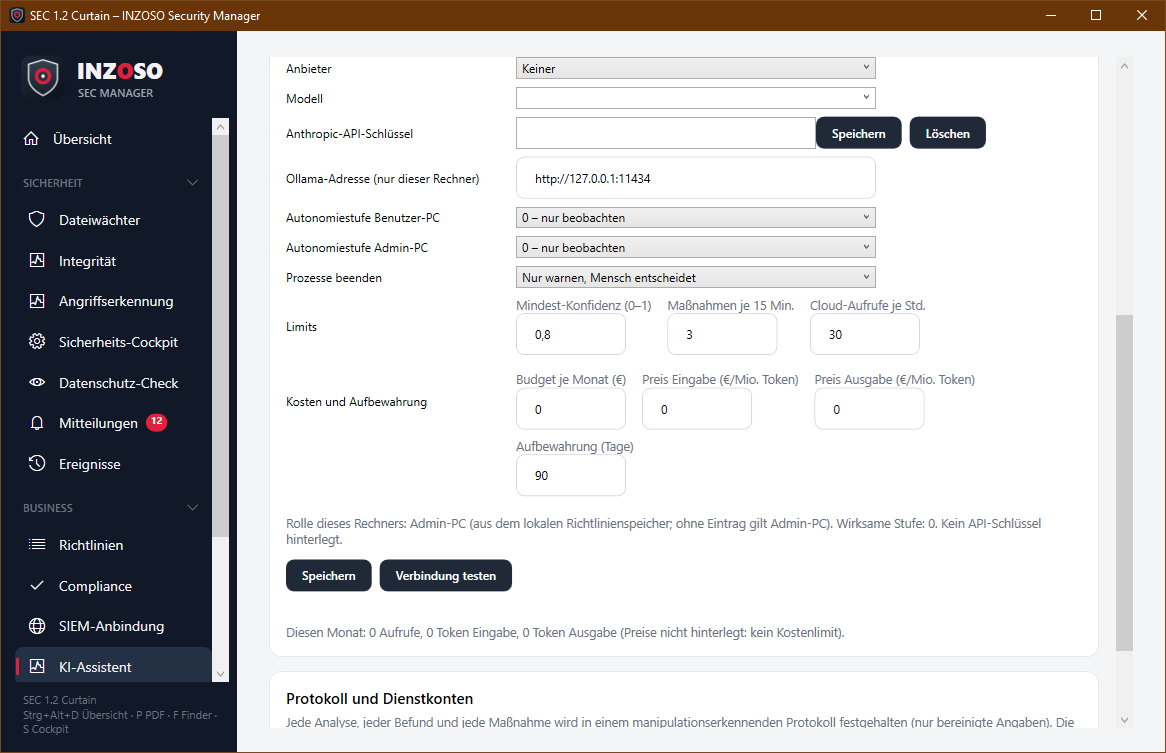
- User PC: level 0 observe, 1 suggestions, 2 execute after confirmation, 3 not yet available. Admin PC: levels 0 to 2.
- Only these are executed: hint, scan file, file to quarantine (reversible), end process (can be switched off; default: warn only). The target must occur in the observed events; Windows and Program Files folders are locked.
- Minimum confidence, a maximum of measures per 15 minutes, calls per hour, a monthly budget (if prices are entered) and a kill switch limit the function. Suggestions expire after 30 minutes. There is a test run.
- If the AI fails, refuses or returns something unusable, only the fixed rules apply. Without an execution service the maximum is level 2.
Log
Every analysis, finding and measure is recorded in a log with a hash chain (sanitised data only). “Verify log” detects later changes to individual entries; anyone with write permission can, however, rebuild the whole chain. Retention is configurable, export is possible.
Not yet included
Autonomy level 3 and the execution service, blocking USB, isolating the network, reading the Windows Security log, choice of the cloud region. The accounts profile can be imported but is not yet used.
Use in companies requires its own data-protection review (for example data processing agreement, works council). This is not legal advice.