USB drives
Device protection (Premium, menu Business › Geräteschutz) monitors newly connected USB drives and warns of mass changes to files. It only reports, changes nothing and deletes nothing.
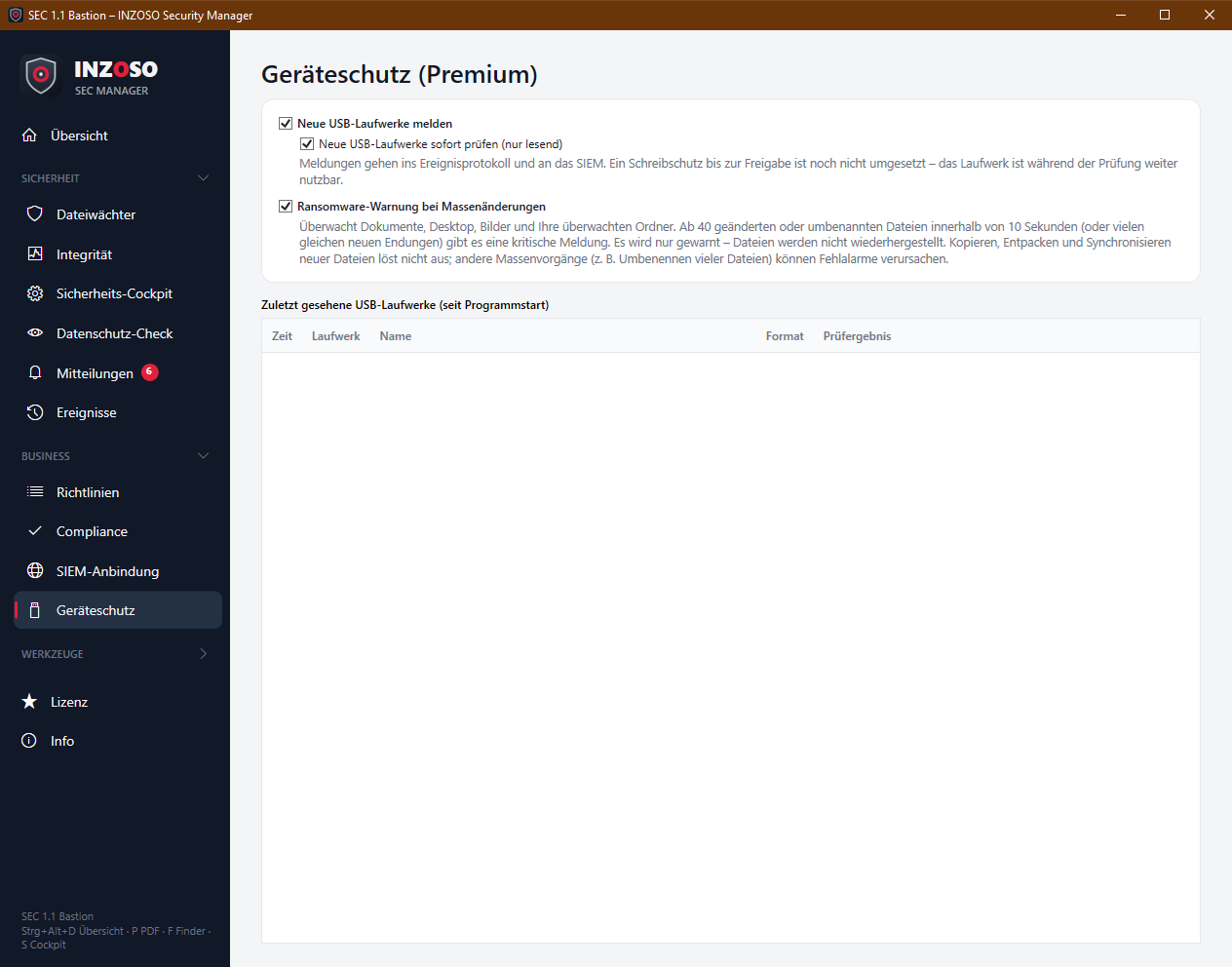
- Neue USB-Laufwerke melden: detects newly connected removable drives (checked every 3 seconds) and reports label, drive letter, file system and size. An existing autorun.inf leads to a warning.
- Neue USB-Laufwerke sofort prüfen (nur lesend): checks the content with the SEC engine. Findings appear as a message (critical for known malware, warning for suspicious). Afterwards the scan result is in the list.
- The “Zuletzt gesehene USB-Laufwerke” table shows time, drive, name, format and scan result (clean, n finding(s), incomplete, not checked), since program start. Drives already connected at program start are not reported as new.
- Limit: Write protection until release is not implemented yet. The drive stays usable during the scan.
Ransomware warning
The warning monitors your folders Documents, Desktop and Pictures as well as your monitored folders. A critical message appears when at least 40 files are changed, renamed or deleted within 10 seconds, or when many files (from 20) receive the same new extension. So that normal work is not disturbed:
- New files (copying, unpacking, syncing) do not count.
- Build, version control, temp and AppData folders are ignored (e.g. obj, bin, .git, .vs, node_modules, AppData), as are temporary extensions (.tmp, .part, .crdownload, .lock, .swp) and ~$ files.
- The warning comes at most every 5 minutes.
- Limits: The warning does not stop processes and does not restore files. Legitimate mass operations (e.g. renaming many files) can trigger it. It does not replace a backup.
Procedure on an alarm
- A critical message (red pop-up) appears, an event is logged and, if applicable, sent to the SIEM.
- Check which operation triggered the changes. The message gives the number of files and the most recently affected file.
- If in doubt, disconnect the PC from the network and involve your IT or your antivirus.