Basis (no license)
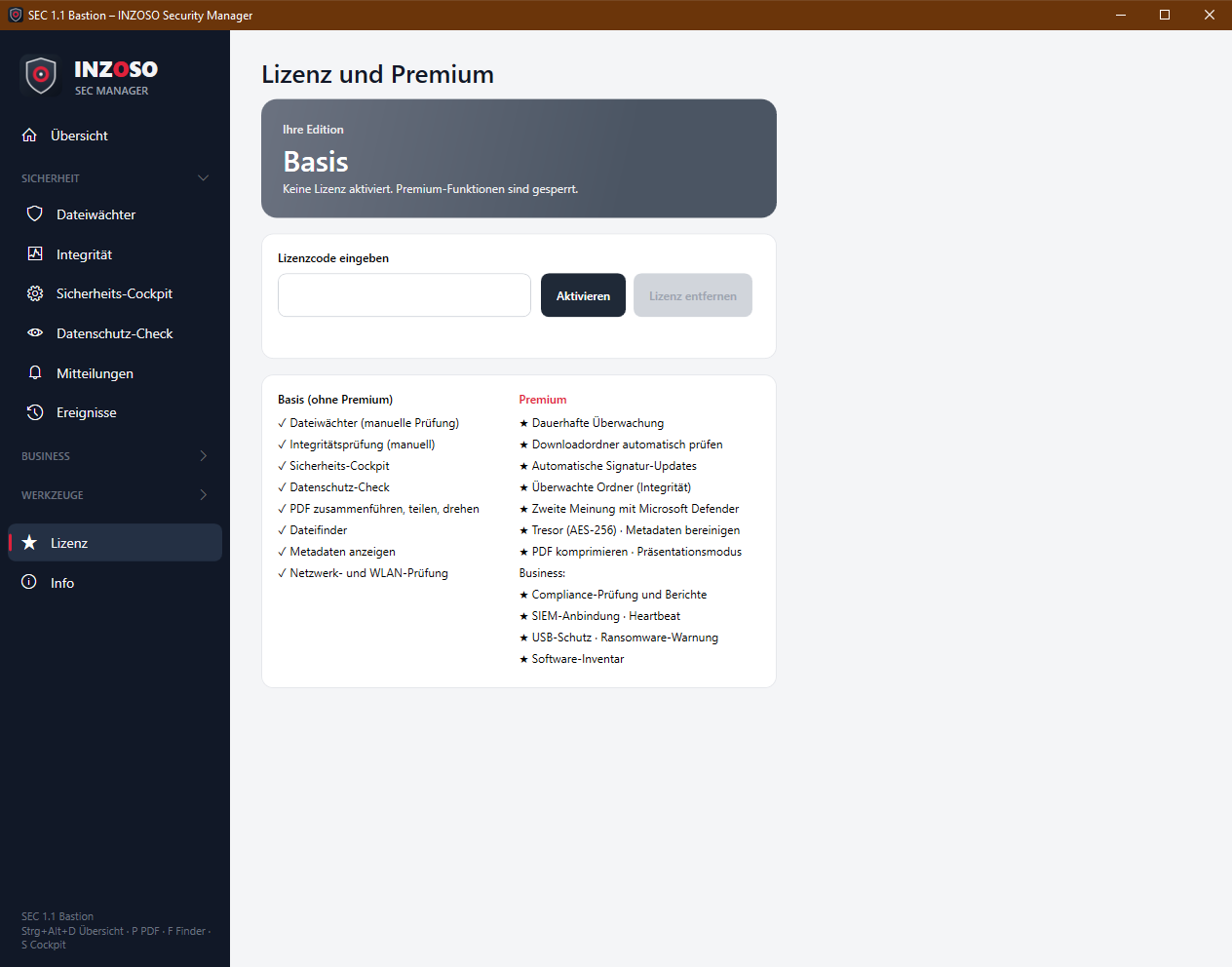
The Basis edition can be used without a license. Premium functions are marked with the red badge PRO in the program. If you open them without a license, a note with the way to the license page appears.
- Security cockpit (antivirus, firewall, encryption, updates, Wi-Fi) and overview with status tiles
- File guard: manual check (signatures, heuristics, archives, macros) and manual signature update
- Integrity: manual check against the baseline
- Privacy check
- Messages, pop-ups, tray status, weekly report, tips and event log
- Merge, split and rotate PDFs
- File finder
- Show metadata
Premium (with a license)
In addition to Basis, Premium unlocks:
- File guard: automatic signature updates (every 4 hours) and second opinion with Microsoft Defender
- Integrity: permanent monitoring in the background, check the download folder automatically, monitored folders (checksums), software inventory (changes visible)
- Compress PDFs
- Clean metadata
- Vault (AES-256)
- Presentation mode
- Business: compliance check and reports
- Business: SIEM connection and heartbeat
- Business: policy manager (signed profiles, one-click import, central policy)
- Business: device protection (USB check, ransomware warning)
The edition in the program
The “Lizenz” page shows your edition as a coloured card:
- Grey, Basis: no license activated, Premium functions locked
- Blue, Standard: valid license but without Premium functions. A Standard code currently unlocks no additional functions, the edition is only displayed.
- Green, Premium: all functions unlocked
Activating and removing the license
- Open “Lizenz”, enter the license code (entering without hyphens is possible, Enter is enough) and choose “Aktivieren”.
- On success “Lizenz aktiviert: …” appears, the card changes colour and a message “Premium aktiviert” confirms it.
- With an invalid code “Ungültiger Lizenzcode.” appears. For security reasons the program gives no reason. A previous state is kept.
- The license is stored locally (license.json) and checked again on the next start. In the interface it is shown only masked.
- “Lizenz entfernen” (with a prompt) deletes the license from this PC. The program returns to Basis, and continuous monitoring, SIEM, heartbeat, device protection and automatic profile syncs stop.
- The check happens locally in the program; no internet connection is needed.
Price and obtaining Premium
Premium costs a one-time 59 €, no subscription. We handle the purchase personally: please get in touch.
Behaviour without Premium
- Premium pages stay visible (with the PRO badge); actions on them show a note.
- The compliance page shows “Premium” instead of the score and locks check, reports and policies.
- On the overview the affected tiles (continuous monitoring, compliance, SIEM connection) show “Premium” in grey.