EN / DEContact

KNOWLEDGE / MICROPAM (SRV-MANAGER)

MicroPAM: roles and rights

Who may do what: the three roles compared, what an admin manages, what approvers release and how the access mode per resource works.

By INZOSO Resilience · Updated · 2 min read

The roles at a glance

  • Create, edit, delete resources: admin
  • Create and manage users: admin
  • See the resource list and connect: approver and user
  • Connect without a request: approver for all resources, user only for “Direkter Zugriff”
  • Request access: user
  • Approve or reject requests and get a pop-up for new requests: approver
  • An admin does not connect to servers themselves. Whoever needs both needs two user accounts (e.g. “anna.admin” and “anna”).

Admin

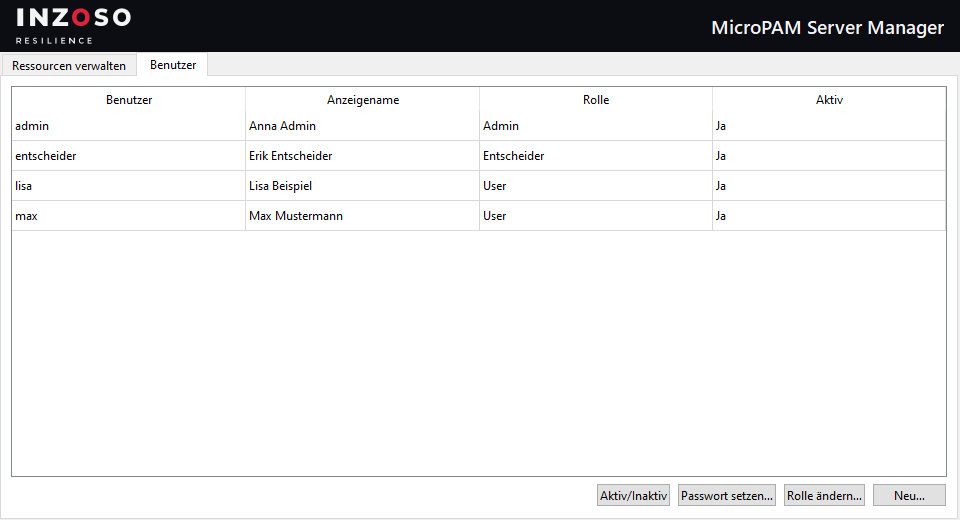
The admin creates resources (RDP or SSH) and manages users: create, change role, set password, activate or deactivate.
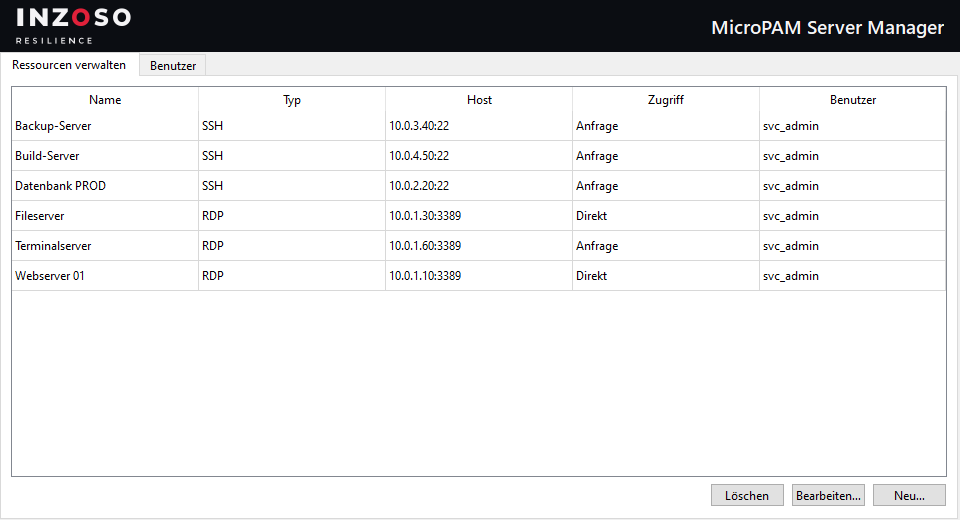
SRV-Manager: resource administration with new, edit and delete
Admin: managing resources

SRV-Manager: user administration with role and active status
Admin: managing users, roles and passwords

Approver

Approvers have access to all resources without asking. They receive pop-ups for access requests and decide. Several approvers are possible. Once one has decided, the request is done for the others.
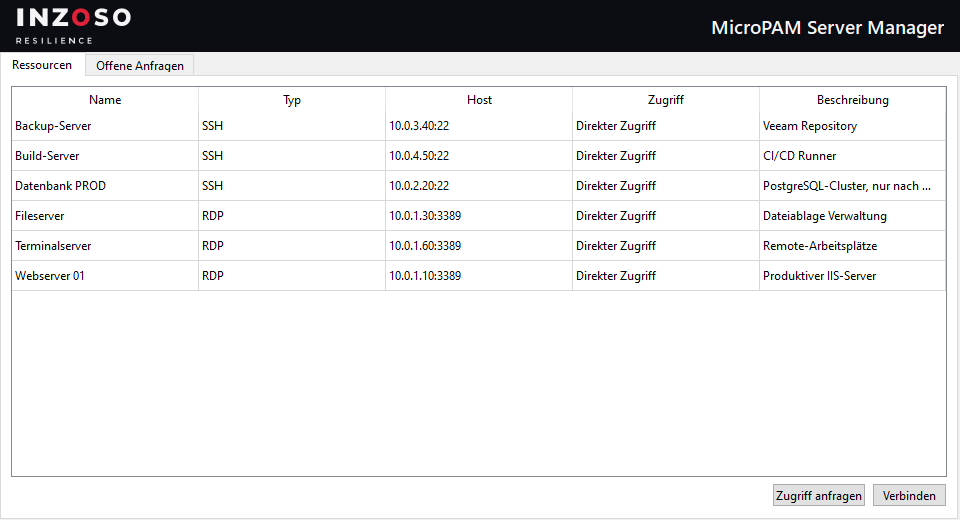
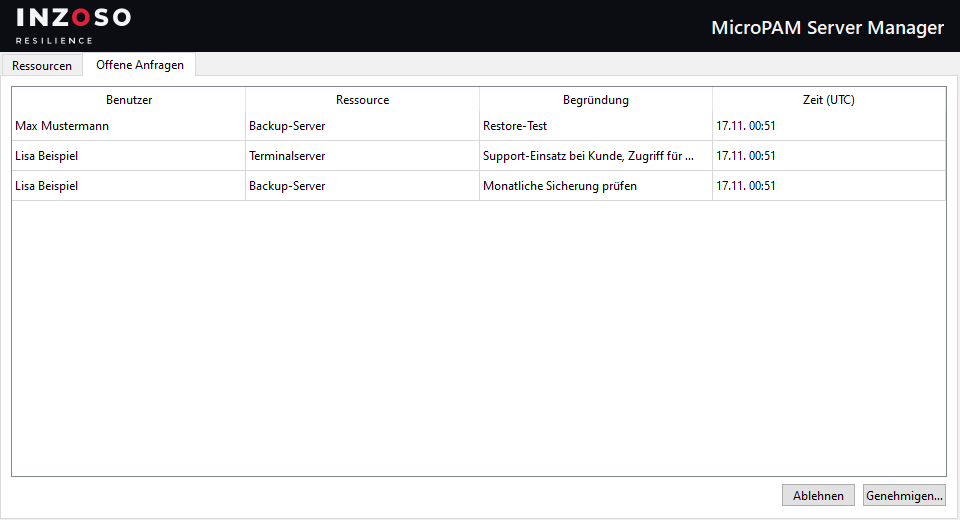
SRV-Manager: an approver’s resource list, all resources directly accessible
Approvers have direct access to all resources

SRV-Manager: list of open requests for approvers with user, resource, reason and time
Approver: open requests with reason, approve or reject

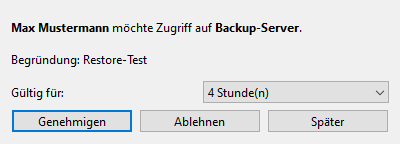
Pop-up for a new access request with validity, approve, reject and later
Pop-up for a new request: choose the validity and approve

User

After signing in a user sees all resources with their status. Resources with “Direkter Zugriff” can be started right away. For “Anfrage nötig” the user submits a request with a reason and connects after approval.
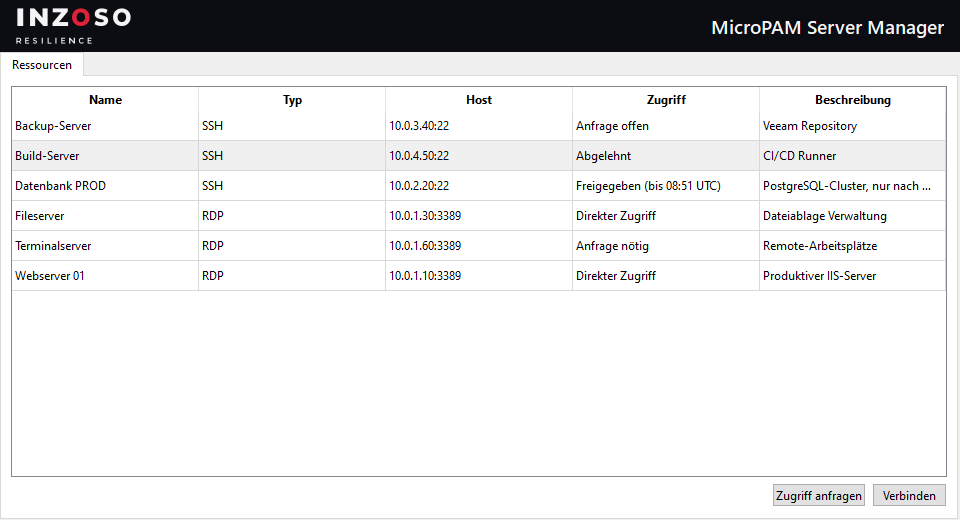
SRV-Manager: a user’s resource list with the statuses direct access, approved, request required and rejected
A user’s resource list with status and the buttons “Zugriff anfragen” and “Verbinden”

Access mode per resource

  • Direkter Zugriff (direct access): all users may connect.
  • Anfrage nötig (request required): a user needs a valid approval from an approver.
  • Rights are checked in the program logic on every connection attempt, not only in the interface.
  • Access is controlled per resource, not per user or group.

MicroPAM rolesapprover admin usercreate RDP SSH resourceaccess mode resourceSRV-Manager rights

Frequently asked questions

Can the admin connect to servers?

No, admins manage but do not connect. Use a second account with the role “User” or “Entscheider” (approver) for that.

Can I assign resources to individual users?

No. Access is controlled per resource (“Direkter Zugriff” or “Anfrage nötig”), not per user or group.

KEEP READING

Next step

Have a specific question?

Send us a short description of your situation. We will assess it and tell you openly whether and how we can help.

Request a conversation